3
1 Getting Started .........................................................................
1.1 Overview
1
7
2
8
3
4
5
6
9
10
11
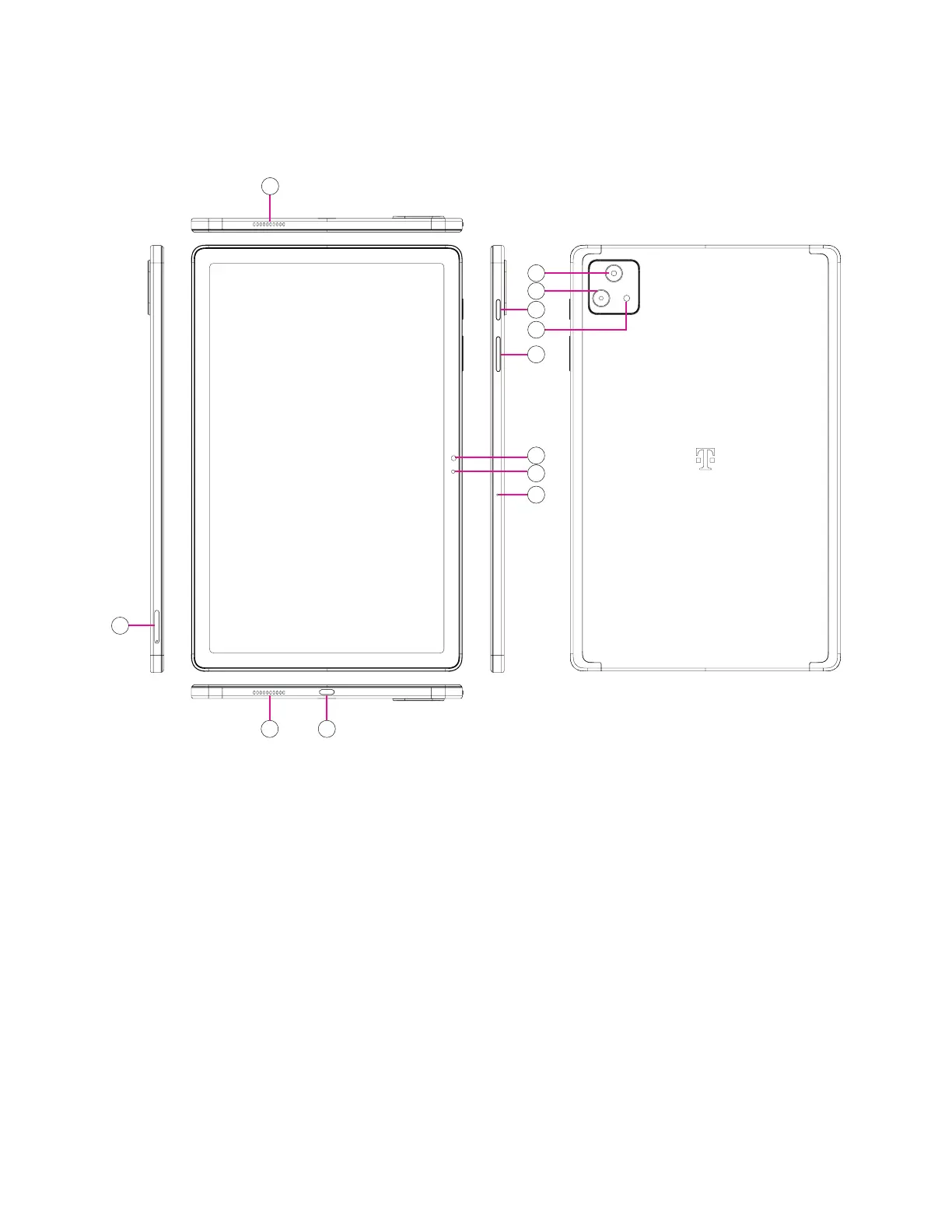
1 Speakers
4 Microphone
7 Volume Button
0 2M depth Assist
2 SIM Card Slot
5 Light Sensor
8 Power Button
qa Flash
3 USB Connector
6 8MP Front camera
9 8MP Main camera
Power button
• Press and release quickly to lock or light up the screen.
• Press and hold to launch Google Assistant.
• Press and hold the Power key and Volume up key to select from Power off or Restart.
• Press and hold the Power key and Volume down key to take ascreenshot and save it.
• Press and hold the Power key and Volume up key for at least 10 seconds to force reboot.
• Press the Power key twice to access the camera.


 To Next Page