TU 1000/022/17/261102
TAB Austria, Industrie- und Unterhaltungselektronik GmbH & CoKG Tel.: +43 (0) 7229 / 78040, Fax: +43 (0) 7229 / 78660
Page 6 17.12.03
2.1 Internal Analogue Modem or Internal ISDN Card
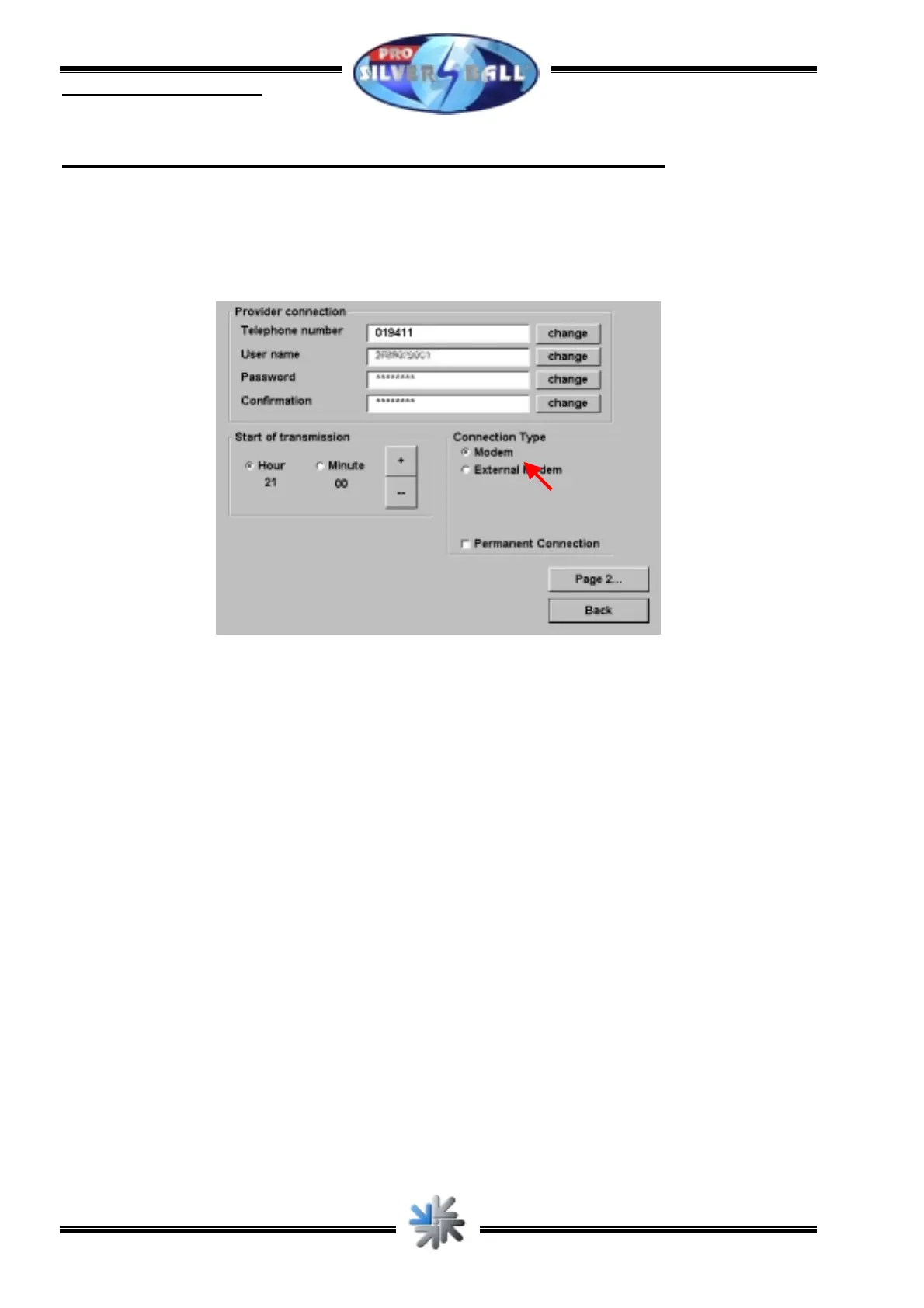
Configuration takes the same for both types. Therefore the following data is needed:
• The dial-in number of your provider (ISP)
• Your user name at the ISP
• The password for your access
picture 3
Ensure that the „Connection Type“ is set to „Modem“ in the menu „ChampionsNet“. Then
enter dial-in number, user name and your password (a second time to confirm it) into the
corresponding squares. Then press „Page 2...“ and make sure that all settings tie up with
picture 4.



 To Next Page