TU 1000/022/17/261102
TAB Austria, Industrie- und Unterhaltungselektronik GmbH & CoKG Tel.: +43 (0) 7229 / 78040, Fax: +43 (0) 7229 / 78660
Page 10 17.12.03
2.3 Local Area Network (LAN)
picture 8
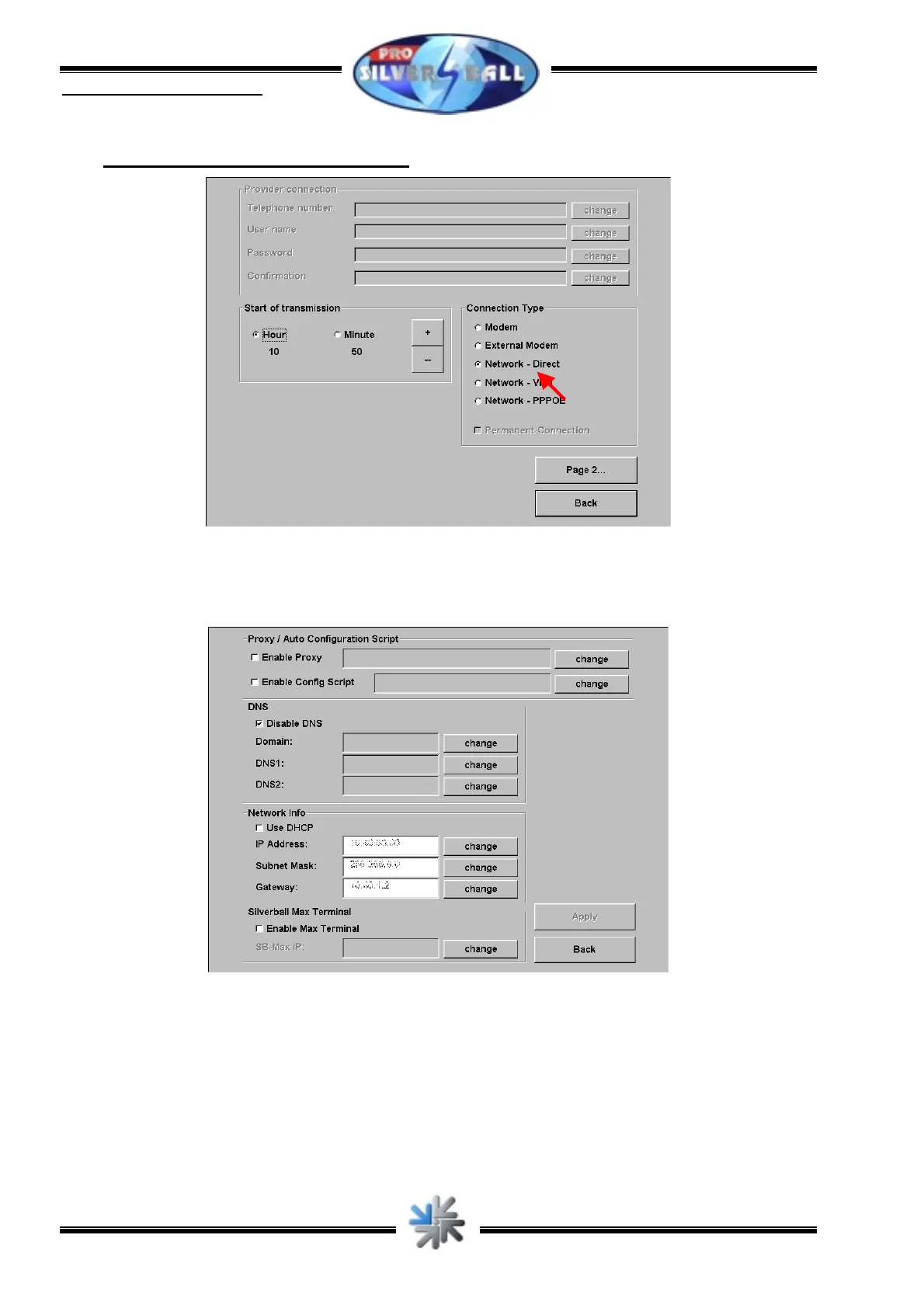
For a network connection you need no dialing parameters. Just choose „Network – Direct“
(picture 8) in the section „Connection Type“ and press „Page2...“.
picture 9
Enter your net settings there. These settings depend on your net. Ask your network
administrator for the data necessary.
Press „Apply“ after having entered all data. Then press “Back” until you are back in the
menu “ChampionsNet”.



 To Next Page