TU 1000/022/17/261102
TAB Austria, Industrie- und Unterhaltungselektronik GmbH & CoKG Tel.: +43 (0) 7229 / 78040, Fax: +43 (0) 7229 / 78660
17.12.03 Page 9
If „PIN set“ appears on the right the PIN has been entered correctly and you can leave the
menu by pressing „Back“ (picture 6).
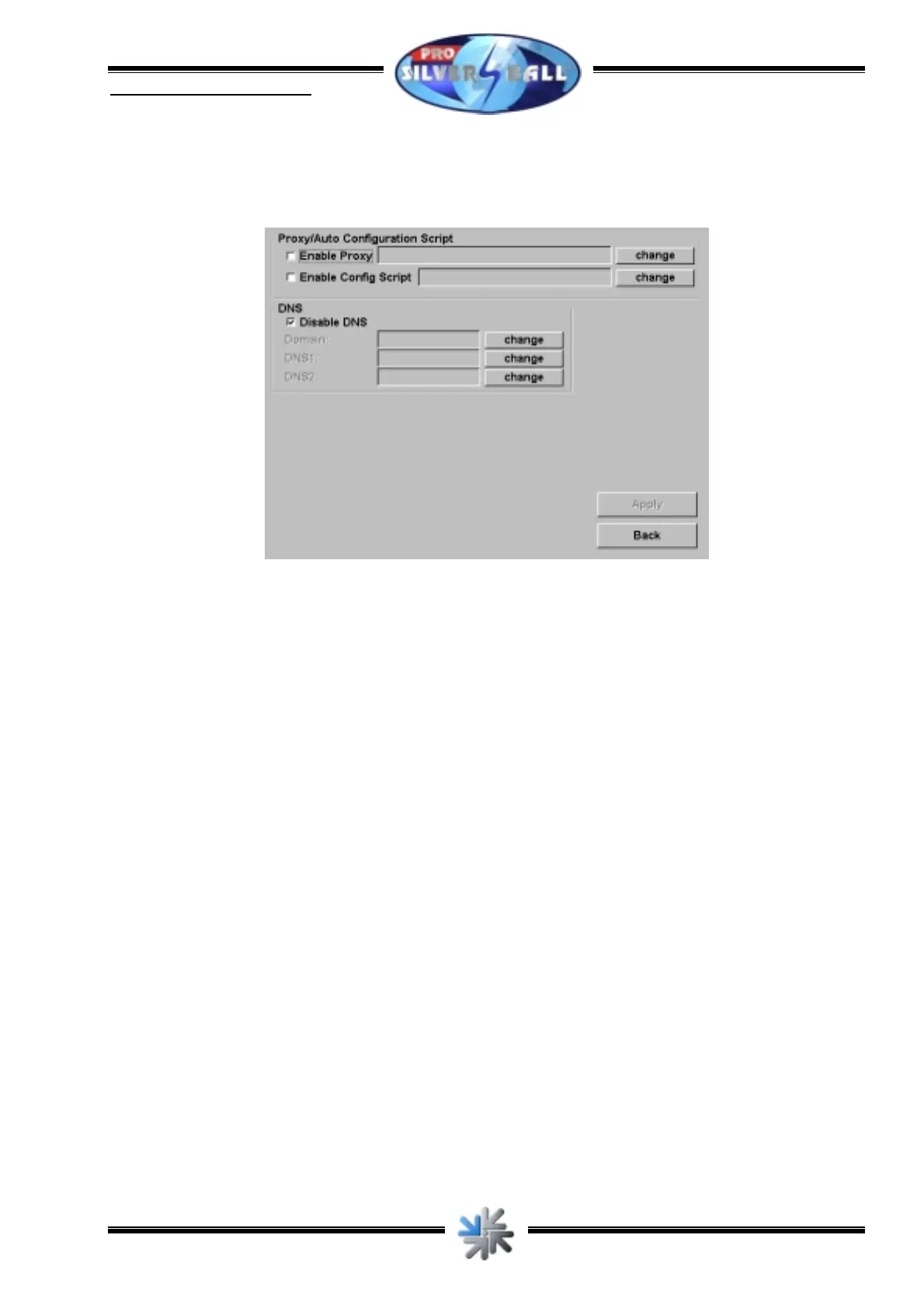
Then press „Page 2...“ and ensure that all settings are according to picture 7:
picture 7
Then press „Back“ to get back to the first page of the set-up of the connection. There press
“Back” again.
Now the connection is established and you can check it by pressing “Test connection”.



 To Next Page