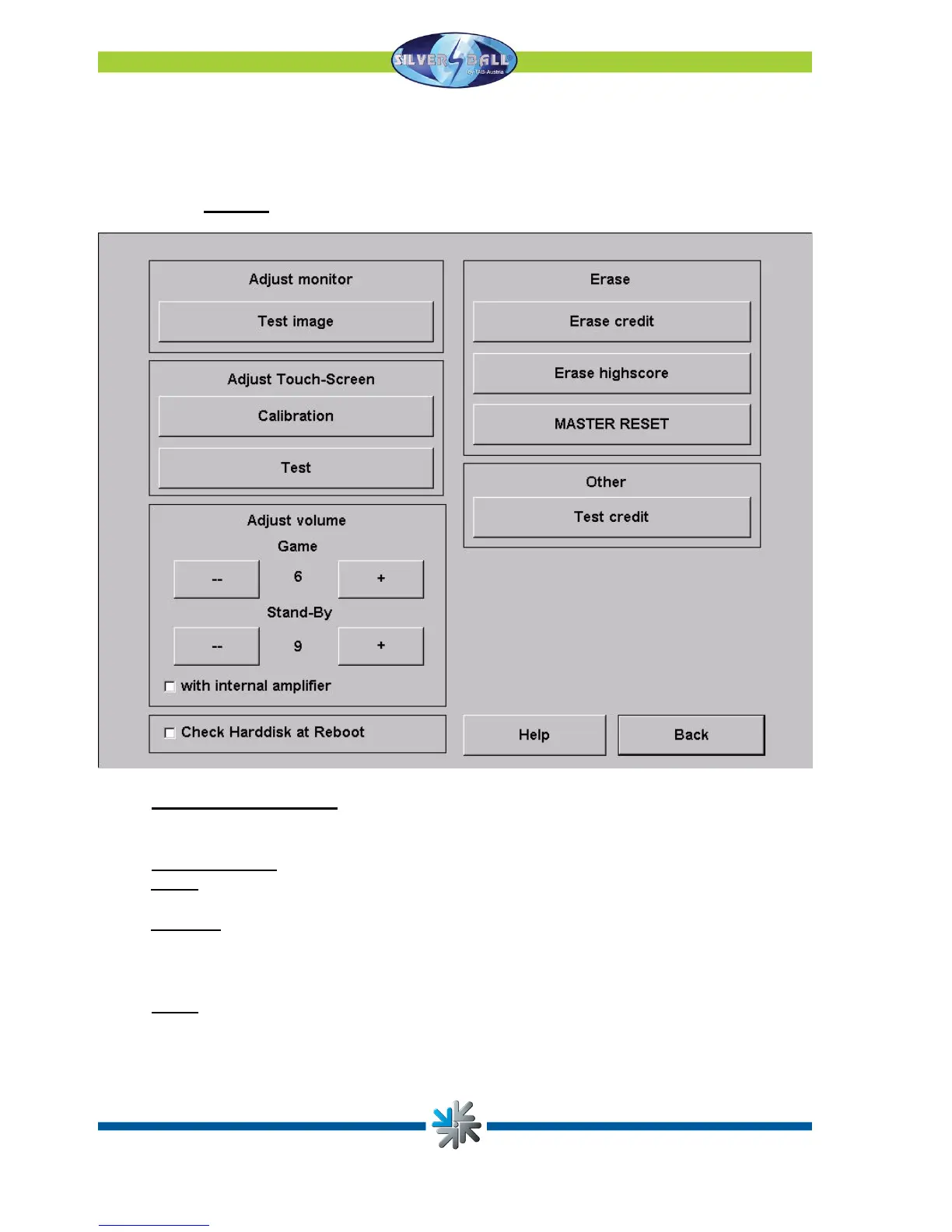
You may make all the machine’s relevant settings in the test mode. The precise software
version of the Silverball Strato and the dongle version are shown on the top edge of the
screen.
o General
•
Touch screen settings
Press the Calibration button and follow the instructions shown on the screen. Then
you may test the screen with Test.
•
Volume setting
Game
The game volume may be set in 15 steps with the plus/minus keys.
Stand-by
The stand-by volume may be set in 15 steps with the plus/minus keys.
Activating the “with internal amplifier” option allows you to increase the sound
volume
• Other
You can book test credits to test your games here. Your hard drive will be checked
when you activate the Check Hard Disk at Reboot option.
Page 10


 To Next Page