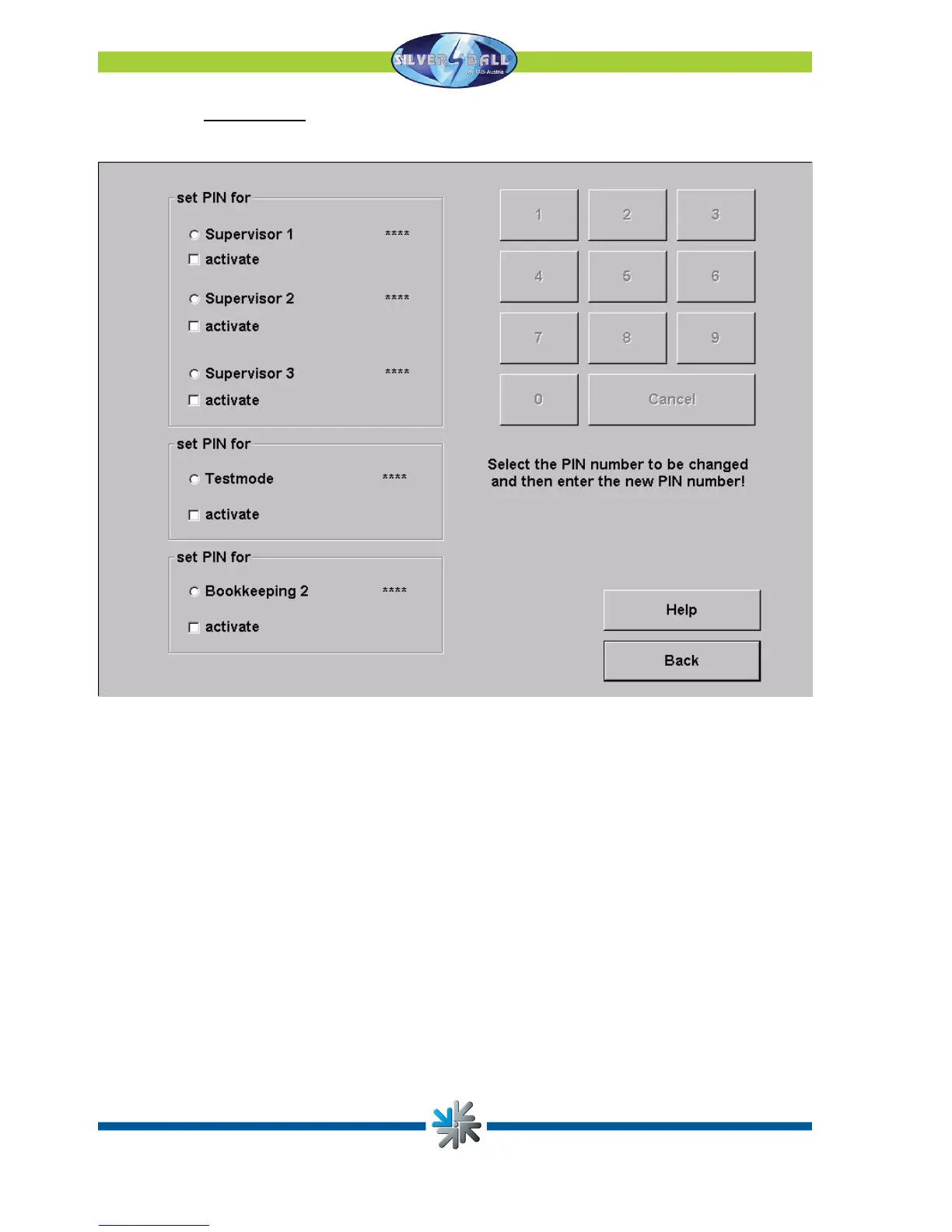
o PIN settings
Set up to 3 different PIN codes for Supervisors. Also you can set a PIN code for the
Testmode and one for the Bookkeeping 2.
After setting a PIN code, the supervisor will get into the overview test mode.
In this special Testmode, he can just change some lower options (like sound volume).
After setting the PIN code you can find the Silverball logo in the lower left side after
pressing the TAB Austria logo (also in the lower left side in the menu).
Press the logo to get into the PIN code input.
Page 22


 To Next Page