6
MENU B (Accessed through Buon 3)
To access the funcons in this Menu press and hold down buon 3 unl ‘BEFORE’ is
displayed on the screen. The individual funcons in this menu can then be accessed by
pressing buon 1 repeatedly. At any me Hold Buon 1 down to return to clock.
‘BEFORE’ - Taking medicaon before the pre-set alarm me (EARLY DOSE)
It is possible to allow medicine to be taken up to 5 hours before the normal pre-set alarm
me. To set this funcon go to ‘BEFORE’.
Press Buons 2 or 3 to set the me required (up to 5 hours before in 5 minute increments).
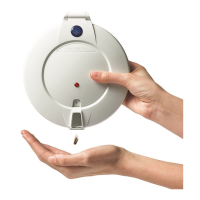
If this funcon has been set the user may access their medicine in advance by lng the
dispenser upside down twice. When upright again the dispenser will then rotate one
secon, the alarm will sound, and the medicine will become available. Tilt the dispenser
again to dispense the medicine and stop the alarm.
NB: If medicine is taken before the normal me, the dispenser will not acvate again unl the
following medicine is due.
If this funcon is not required set at 00.00
We do not recommend that the BEFORE funcon is used for those with confusion.
AFTER (DURATION)
The length of me the alarm will sound / light will ash can be adjusted by the ‘AFTER’
funcon:
Press Buon 1 repeatedly unl ‘AFTER’ is displayed. Adjust the required alarm duraon by
pressing Buons 2 or 3 (minimum 5 minutes / maximum 1 hour).
SOUND
There are four alarm sounds available. To choose the alarm sound:
Press Buon 1 repeatedly unl ’SOUND’ is displayed. Choose your preferred sound
01, 02, 03, or 04 by pressing Buons 2 or 3. Should no sound be required set at 00.
The alarm will sound every 4 seconds for the rst minute, and every 30 seconds thereaer
unl medicine is taken or the alarm duraon limit is reached (see ‘AFTER’ funcon above).
LIGHT
Press Buon 1 repeatedly unl ‘LIGHT’ is displayed.
If the light is not required press buon 2 once – ’00’ will be displayed.
If the light is required press buon 3 once – ’01’ will be displayed.
HOURS - 24hr / AM-PM clock sengs.
The dispenser is pre-set to display the me as a 24hr display.
Should you wish to change this to AM/PM clock seng:
Press Buon 1 repeatedly unl ‘HOURS’ is displayed. Choose AM/PM or 24hrs by pressing
buons 2 or 3. NB. Using the 24hr clock is recommended.


 To Next Page
 Loading...