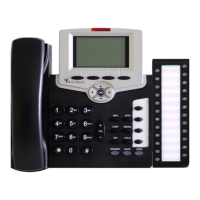
Table of Contents b FlexSet-IP 280S User Guide
Using the System Defined Fixed Keys............................................................................................................... 18
Using the Programmable Keys........................................................................................................................... 19
To Program a Key ......................................................................................................................................... 19
Programming: Button Labeling..................................................................................................................... 20
To print the multi-designation label:.........................................................................................................................21
To place the telephone number:................................................................................................................................22
Making Calls ...................................................................................................................................................... 23
When You Hear Ringback Tone for Internal Calls ....................................................................................... 25
When You Hear Ringback Tone for External Calls...................................................................................... 26
When you Hear a Reorder Tone for Internal Calls (in Do Not Disturb) ....................................................... 28
When You Hear a Busy Tone for Internal Calls ........................................................................................... 29
During a Break In.......................................................................................................................................... 30
When You Hear a Busy Tone for External Calls .......................................................................................... 31
Answering Calls ................................................................................................................................................. 32
During an Internal Call....................................................................................................................................... 33
During an External Call...................................................................................................................................... 34
Using the Speakerphone or Headset................................................................................................................... 36
Headset Cord (#2) Disconnect ...................................................................................................................... 39
Volume Adjustment............................................................................................................................................ 40
Ring Adjustment................................................................................................................................................. 41
Appendix A – Telephony Features
Appendix B – Attendant Features
Return Calls...................................................................................................................................................... B-5


 To Next Page
 Loading...