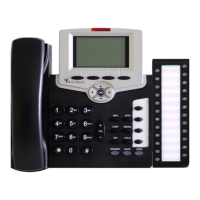
Table of Contents a FlexSet-IP 280S User Guide
Table of Contents
Table of Contents.........................................................................................................................................a
Introduction................................................................................................................................................. 1
Conventions.......................................................................................................................................................... 2
Related Documentation ........................................................................................................................................ 3
FlexSet-IP 280S Overview ......................................................................................................................... 4
FlexSet-IP 280S Component Descriptions ........................................................................................................... 5
FlexSet-IP 280S - Bottom, Side and Rear View .................................................................................................. 6
FlexSet-IP 280S – PC Connection ....................................................................................................................... 7
Handset Hook and Telephone Number ................................................................................................................ 8
Desk Elevation Installation................................................................................................................................... 9
Wall Mounting.................................................................................................................................................... 10
Using the FlexSet-IP 280S Display .......................................................................................................... 11
Fixed Keys; What They Do................................................................................................................................ 12
Configuring your FlexSet-IP 280S..................................................................................................................... 13
Viewing the FlexSet-IP 280S MAC address ................................................................................................. 13
Inputting the IP Addresses ............................................................................................................................ 13
To Enter Addresses: ...................................................................................................................................... 14
Operating the FlexSet-IP 280S ................................................................................................................. 16
Using the FlexSet-IP 280S Telephony Features................................................................................................. 17


 To Next Page
 Loading...