
 Need help?
Do you have a question about the tado° Smart AC Control and is the answer not in the manual?
Instructions and QR codes for downloading the tado° mobile application.
Steps to install and connect the Smart AC Control using the mobile app.
Guide on configuring personalized schedules for your AC based on home presence and time.
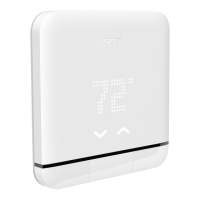
How to activate the device display and switch between settings pages.
Description of Home, Sleep, and Away modes and their AC settings.
How to create daily schedules by assigning modes to time blocks.
 General
| Voice Control | Amazon Alexa, Google Assistant, Apple HomeKit |
|---|---|
| Internet connection | Required for remote control and updates |
| Display | LED matrix |
| Sensors | Temperature, humidity |
| Operating Temperature | 0°C to 40°C |
| Connectivity | Infrared |
| Control | Smartphone app |
| Power Supply | 5V DC |
| Radio communication | Infrared |
| Features | Geofencing, scheduling |

 To Next Page