Need help?
Do you have a question about the Tainet T-1496 and is the answer not in the manual?
Provides a detailed overview of the TAINET Network Series Modem, including its models and core functionalities.
Lists the detailed technical specifications and standards supported by the modem models.
Details the various modem models and related accessories available for ordering.
Introduces the chapter's focus on installing the TAINET Network Series Modem.
Instructions on how to unpack the modem and check for contents and shipping damage.
Details essential site requirements, including grounding and surge protection for safety.
Provides guidelines for selecting an appropriate location for modem installation.
Instructions for connecting the modem to a power source via an AC outlet.
Step-by-step guide for connecting the modem to a standard dial telephone line.
Instructions for establishing a connection using a leased line (2-wire or 4-wire).
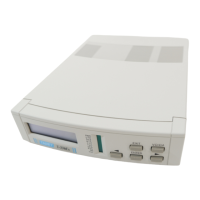
Details the components and layout of the modem's front panel interface.
Describes the connectors and ports located on the rear panel of the modem.
Explains how to operate the modem using its keypads, LED indicators, and LCD display.
Presents a hierarchical view of the modem's menu structure for navigation.
Provides in-depth explanations for each menu option and its configuration.
Introduces the chapter's content on modem applications and features.
Compares the characteristics and usage of dial lines versus leased lines for modem connectivity.
Explains the differences and advantages of using 2-wire and 4-wire leased lines.
Defines and compares the originate and answer modes for modem communication.
Differentiates between synchronous and asynchronous data transmission modes.
Details the modem's capabilities for error correction and data compression techniques.
Guides users on saving and loading modem configuration settings into profiles.
Explains how to access and manage the modem remotely for configuration and monitoring.
Lists the ITU-T recommendations and standards supported for modem handshake.
Describes automatic adjustment of data rates based on line conditions.
Explains the function of automatically dialing a backup line if the primary fails.
Details the security feature that calls back a stored number for connection.
Explains how to monitor real-time line conditions and signal quality.
Guides on performing Bit Error Rate (BER) tests for line quality assessment.
Describes the modem's advanced dialing and redialing capabilities.
Details how to secure the modem's front panel with a lock and password.
Explains ITU-T V.13 and pseudo carrier control for half duplex operation.
Describes the modem's functionality for sending and receiving G3 faxes.
Covers the selection and restrictions of symbol rates in V.34 mode.
Comprehensive list and description of all AT commands supported by the modem.
Explains special codes used to modify dialing behavior and sequences.
Lists and describes the short, long, extended, and alternative result codes.
Details the V.25bis commands for auto calling in asynchronous and synchronous modes.
Provides an overview of the maintenance procedures for the modem.
Lists the necessary instruments required for modem maintenance and testing.
Explains the modem's self-test function and potential error messages displayed.
Details routine maintenance tasks to be performed periodically.
Provides guidance on diagnosing and resolving common modem malfunctions.
Outlines the procedure for returning a malfunctioning modem for service or repair.
 General
| Model | T-1496 |
|---|---|
| Interface | RS-232 |
| Weight | 250g |
| Type | Modem |
| Power Supply | 9V DC |
| Operating Temperature | 0°C to 40°C |


 To Next Page