To change the direction and the size of the design
99
Chapter 5
1
2
3
4
5
6
7
8
9
10
11
UO04
5. To change the direction and the size of the design
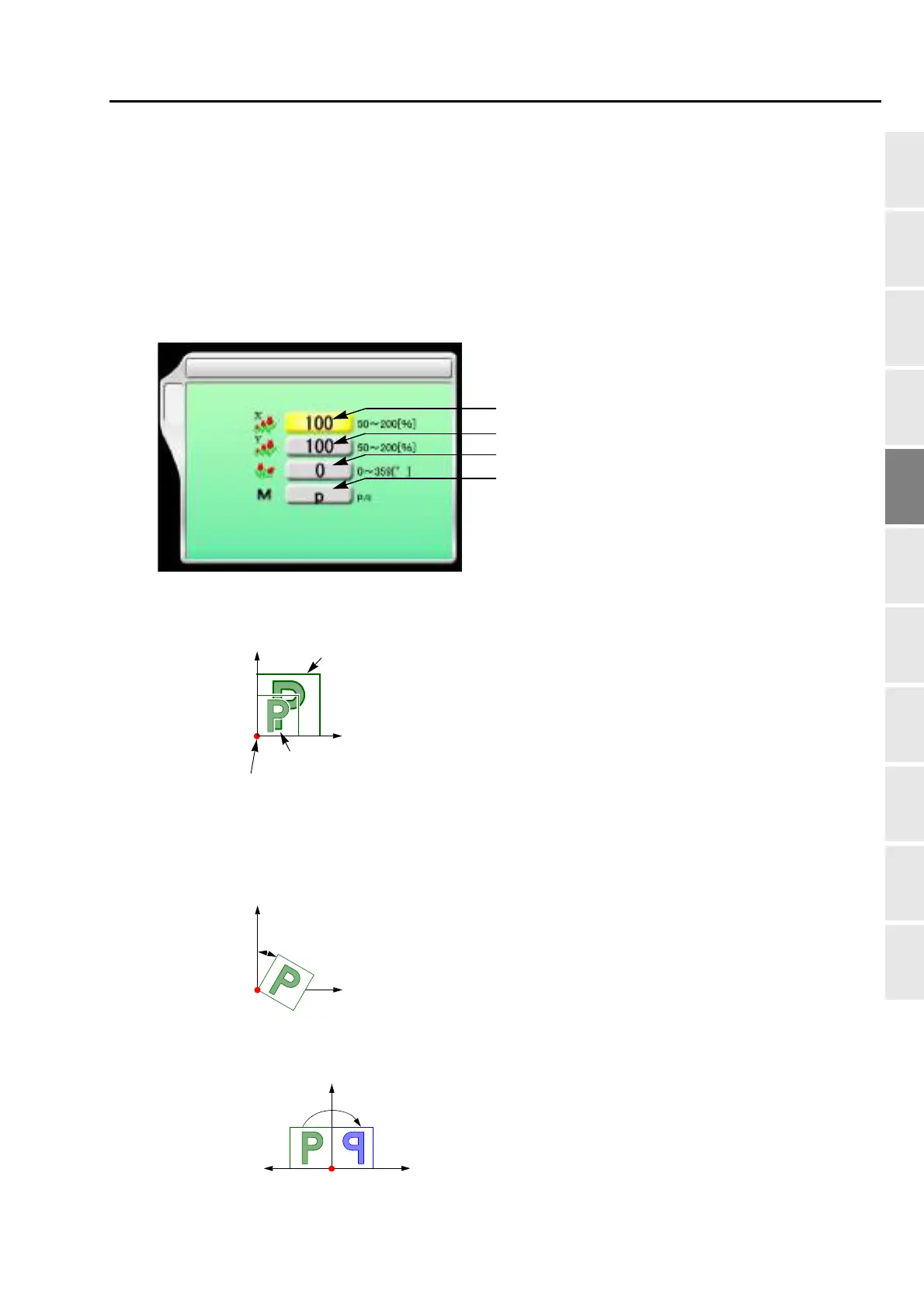
5-1. To perform enlargement, rotation, reversion (Data Conversion)
Set this function after data set. Setting contents here will be added in a design. So, when you embroider this
design next time, setting again will be unnecessary.
5-1-1. Explanation on the screen
[a] Horizontal (X) scale ratio (%)
[b] Vertical (Y) scale ratio (%)
[c] Rotating angle (°)
[d] Reverse
3 Data Conversion
B
[a]
[b]
[c]
[d]
Y
X
Original size
After enlargement
The illustration shows an
example of the same scale ratio
in X/Y.
Start point of design
Y
X
Not to perform To perform



 To Next Page