To move the frame to the position registered
173
Chapter 6
1
2
3
4
5
6
7
8
9
10
11
SQ01
5. To move the frame to the position registered
5-1. To move the frame automatically at the start and the end of embroidery (Automatic
Offset)
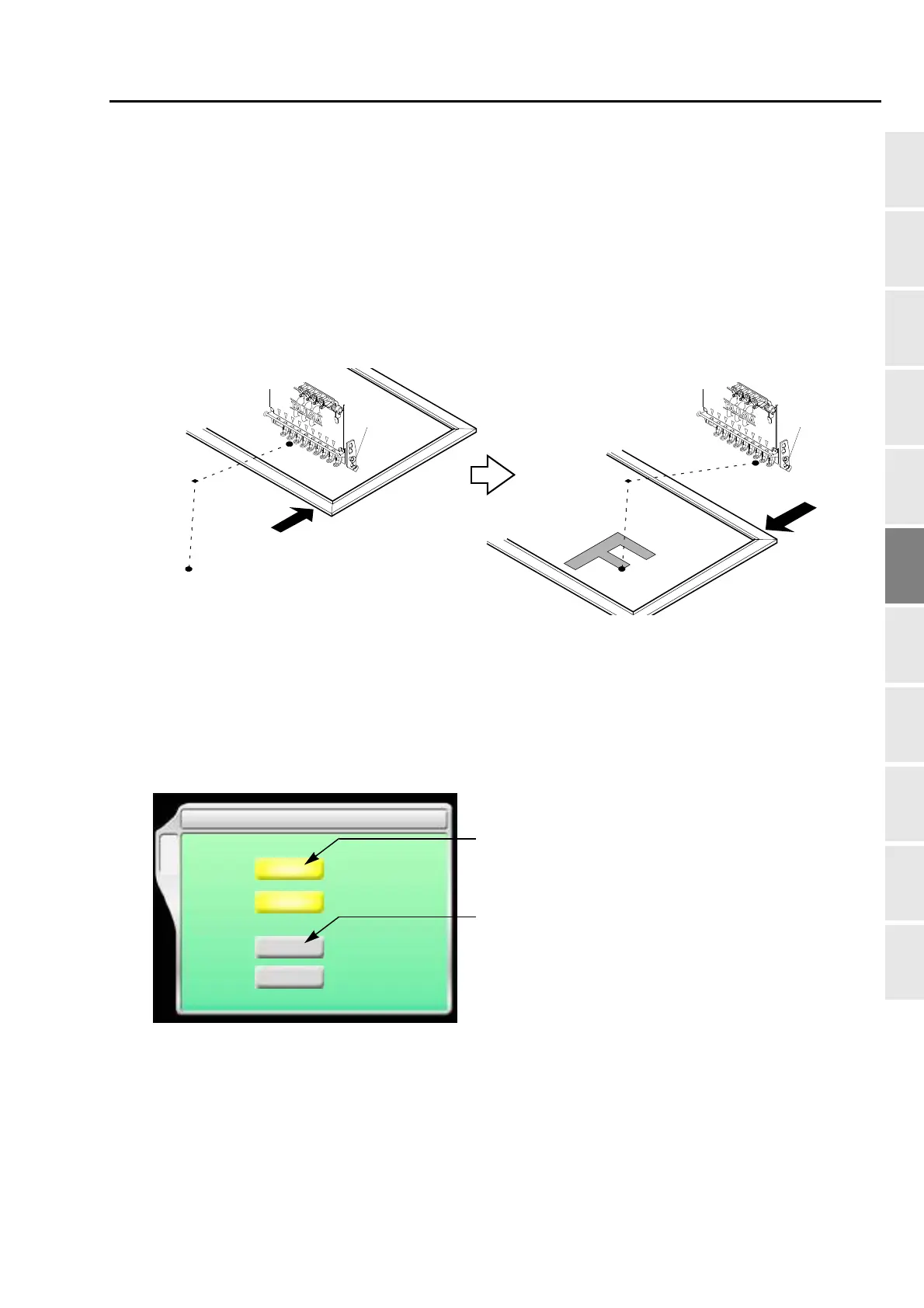
This is the setting to move the frame automatically so that replacement of the frame and the fabric to be
stretched can be performed easily. Perform this setting after data set. Setting contents here will be added in
a design. So, when you embroider this design next time, setting again will be unnecessary.
(1) When starting embroidery by operating the start stitch, the frame will move from the offset start position
[A] to the design start position [C] through the offset middle position [B].
(2) When embroidery is finished, the frame will pass from the design end point [D] to the offset start position
[A]through the offset middle position [B].
5-1-1. Explanation on the screen
[a] Offset middle position [B in the figure above]
The position where the frame will pass. This position is arbitrarily set. Set it when embroidered
material hits the machine during the frame travel.
[b] Offset start position [A in the figure above]
The position where the frame has come to the front. Changing the frame and the fabric to be
stretched will be performed here.
[A]
[C]
[B]
[B]
Embroidery starts Completion of embroidery
[D]
[A]
5 Automatic offset
B
OF1 X [mm]0
Y[mm]0
OF2 X [mm]0
[mm]0
Y
Previous
0
0
0
0
[a]
[b]



 To Next Page