To make optional device available for use
211
Chapter 8
1
2
3
4
5
6
7
8
9
10
11
1-8. Laser Crosshair Marker
This is the setting to make sure that Laser crosshair marker can be used.
1-8-1. Explanation on the screen
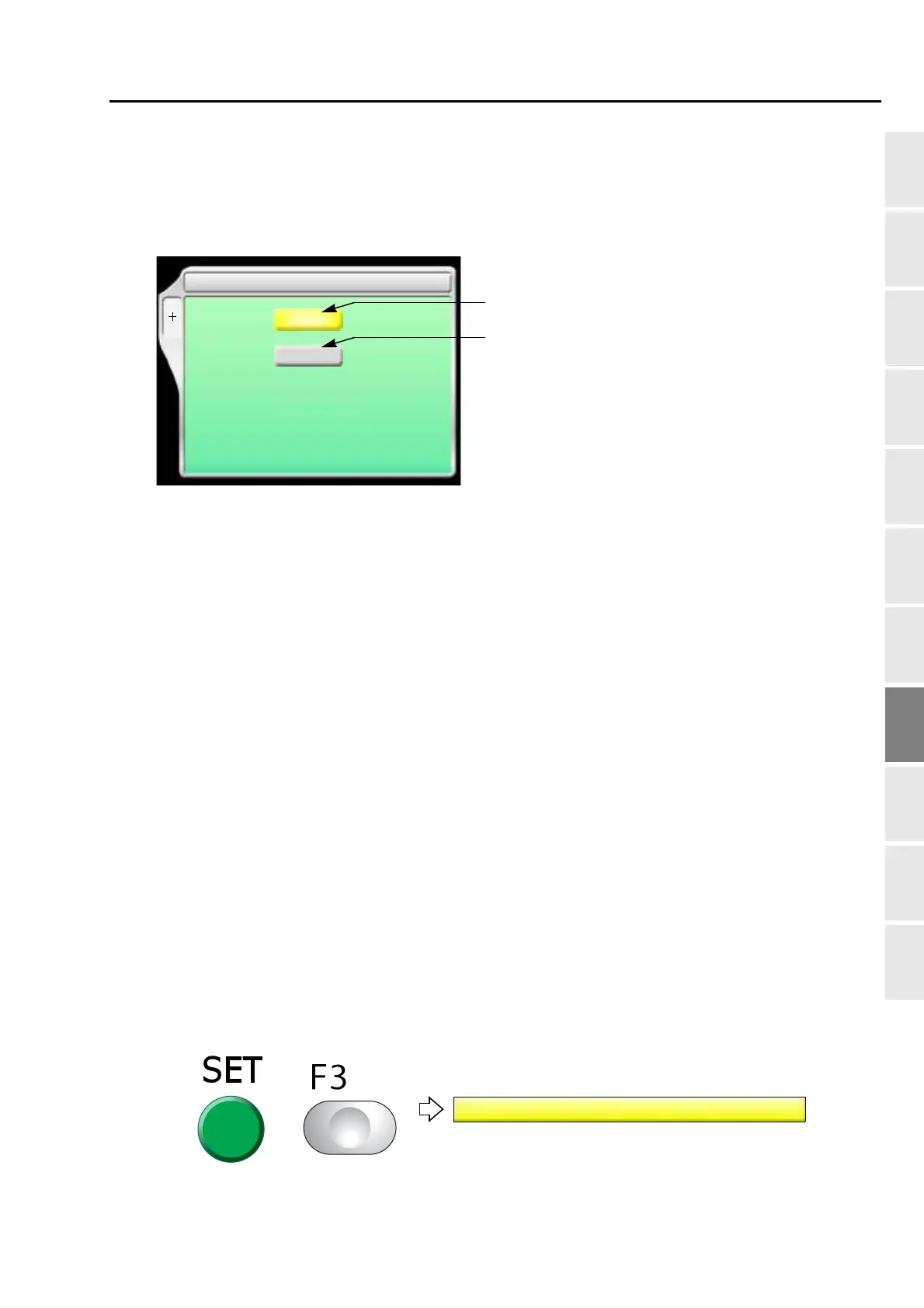
[a] Laser Crosshair Marker
YES: To equip
NO: Not to equip
[b] Automatic return
YES: To perform
The need bar case moves to the laser crosshair marker position in the following situations,
and the laser crosshair marker is lit.
However, it is the condition that the main shaft is in the fixed position, the design is not in the
middle of embroidery, and no error has occurred.
NO: Not to perform
1-8-2. How to operate
The following is an example of setting Laser crosshair marker to "To equip".
(1) Set to main screen.
(2) To press F3 key while pressing SET
F3
5 Laser Crosshair Marker
SET
YES
YES
YES / NO
[a]
YES / NO
[b]
Automatic return
When performing the data set
When the embroidery is finished (Design end by automatic data set)
When turning ON the power
Before executing the trace
VN03


 To Next Page