Push NEXT to select the Browse TEL function.
Press MENU to enter the Telephone book.
Push NEXT to scroll to the object you need to refer to,
then press MENU to exit.
Browse TEL:
Check the contact which you have imported, including
Name, E-mail, Mobile, QQ, Telephone, Fax etc. (This
function is only available when the Telephone book
had been stored. Otherwise, you will receive a warning
message: No File! Press and hold MENU to exit!)
Import Tel File:
Import Telephone book le from PC to player.
Export Tel File:
Export Telephone book le from player to PC.
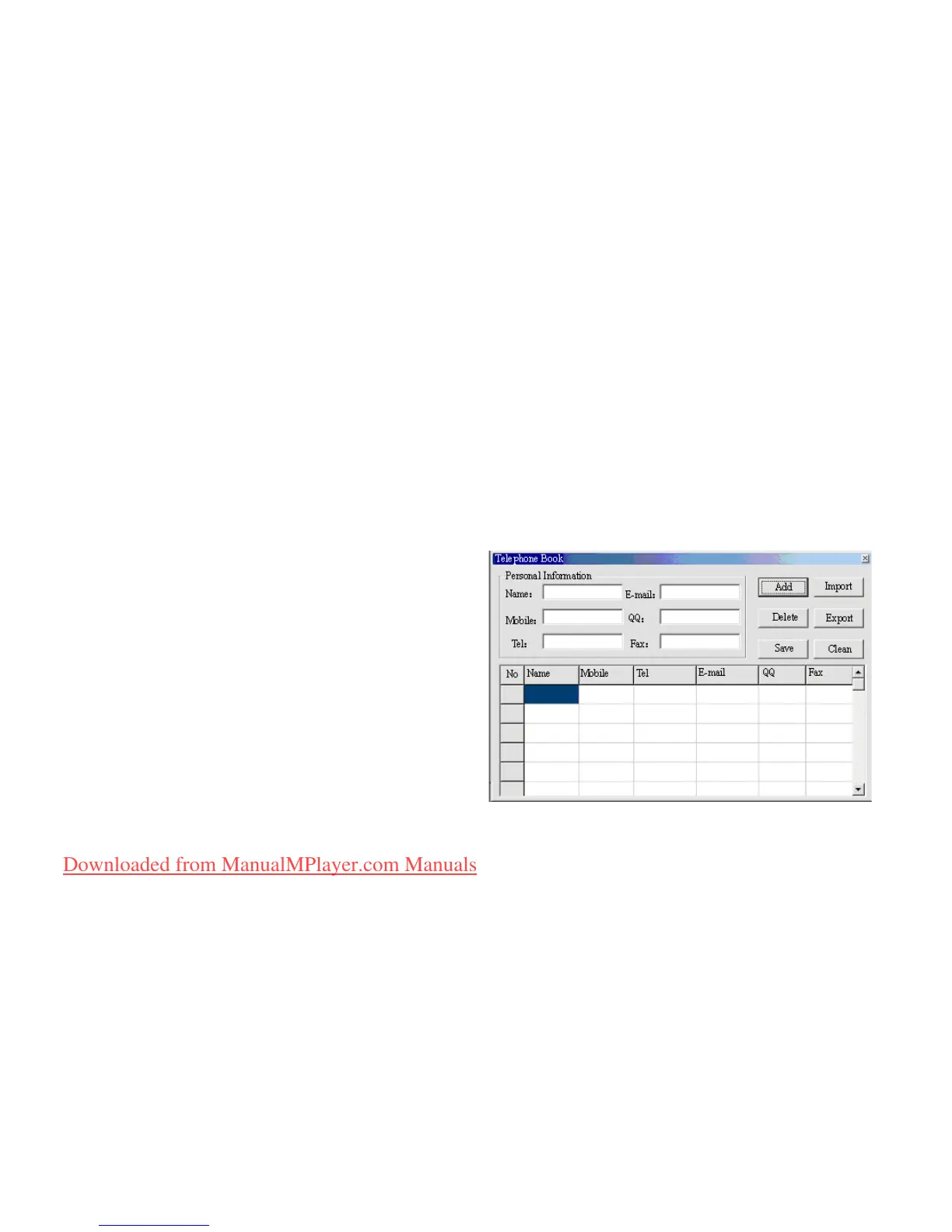
Create and Edit Telephone Book File
Creating a Telephone Book le
The Telephone Book le can be created using
the provided software tools
1. Execute ‘Telbook_Ch’, click on ‘OPEN’
Downloaded from ManualMPlayer.com Manuals



 To Next Page