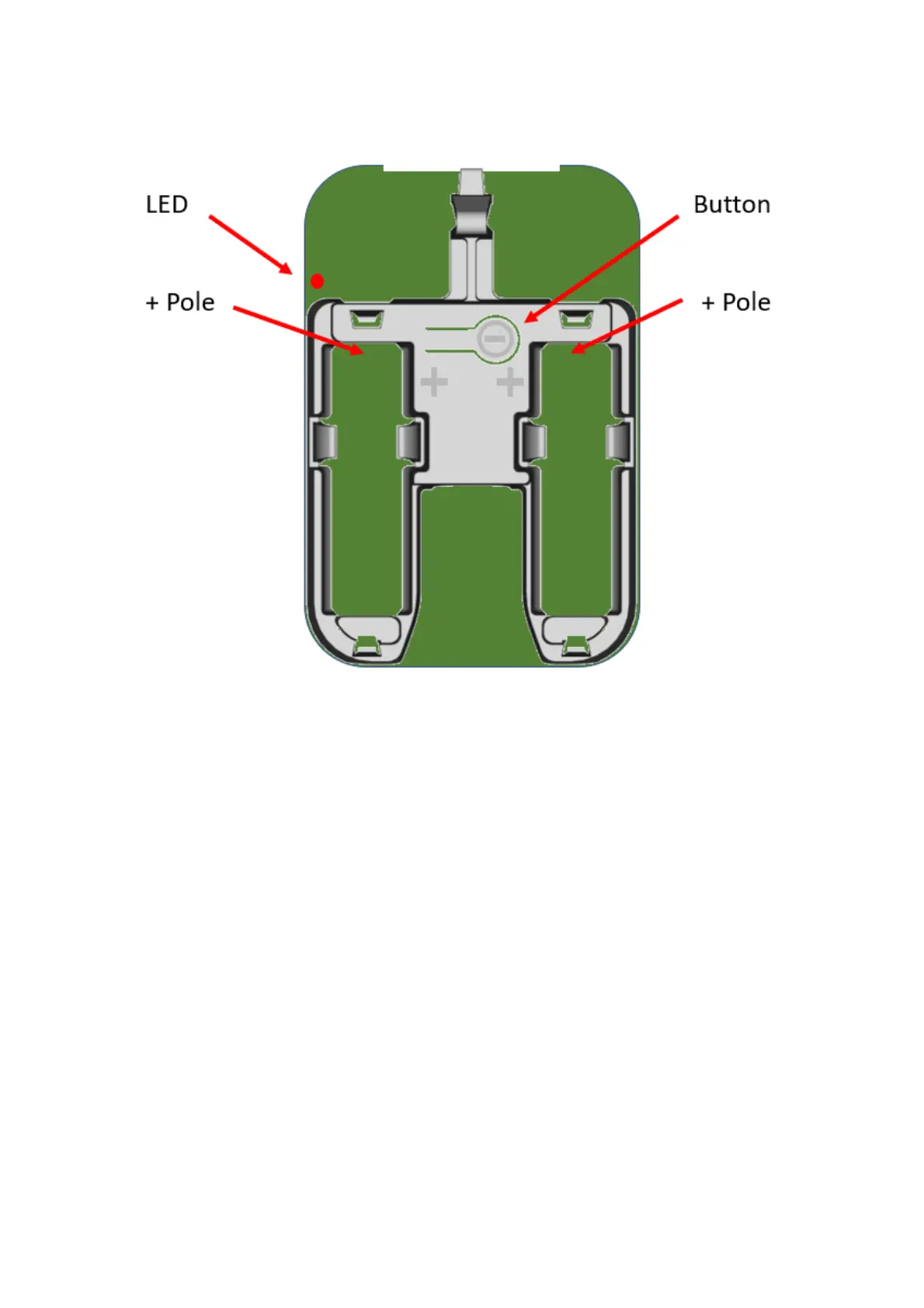
Configure the device in the LoRaWAN server, according to chapter 5.1, and insert the
batteries. The sensor starts and flashes 2 + 6 times during the boot-up sequence. The sensor is
activated by pressing the push button for 3 seconds until the red LED makes two short
flashes.
When the device has successfully joined the LoRaWAN network there will be a 2-second-
long flash.
Attach the electronic board to the bottom piece and attach the plastic cover.
5.1 LoRaWAN Configuration
Configuration on the network server is done with
AppEUI: 70-B3-D5-D7-2F-F8-18-00 (a.k.a. JoinEUI)
It is possible to order a batch of devices configured with a customer unique AppEUI from the
Talkpool OUI range.


 To Next Page