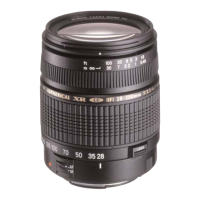
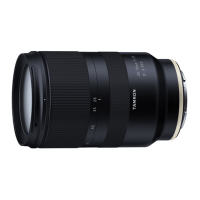
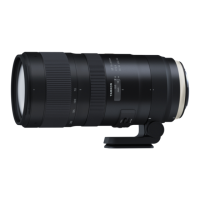
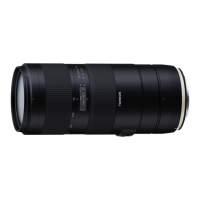
Thank you for purchasing this Tamron lens. Before using your new lens, please read the contents of this Owner’s manual to properly
use the lens. Also, it will be important to read the manual of the camera to which you will attach the lens.
After reading, store this Owner’s manual in a safe place.
Please read also the document “Precautions for Safe Use of Tamron Lenses” supplied with the lens for the detailed safety precautions
to observe when using Tamron lenses.
• Explains precautions that help to prevent problems.
• Explains things you should know in addition to basic operations.
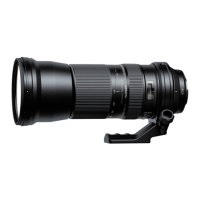
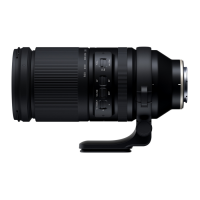
PART NAMES (Refer to Fig. 1)
① Lens hood ② Hood attaching alignment mark
③ Hood locking mark ④ Filter ring
⑤ Hood release mark ⑥ Zoom ring
⑦ Focal length scale ⑧ Focal length mark
⑨ Focus ring* ⑩ Tripod mount
⑪ Tripod mount mark ⑫ Tripod mount locking screw
⑬ Screw hole for safety lock screw ⑭ Safety lock screw (×2)
⑮ Hexagonal wrench ⑯ Strap hole
⑰ Lens attachment mark
⑱ AF/MF switch (For Sony E / Nikon Z) / MF SPEED switch (For FUJIFILM X)
⑲ VC (Vibration Compensation) switch (For Sony E / FUJIFILM X) / LINEAR/NON-LINEAR switch (For Nikon Z)
⑳ VC mode switch (For Sony E / FUJIFILM X) Focus limiter switch
Lens-camera interface contacts Wide-end zoom lock switch
Connector port (For Nikon Z)
* Corresponds to the control ring on Nikon Z mounts.
• Before using the lens, make sure to remove the tape on lens surface.
MAIN SPECIFICATIONS
Model
A057
Focal Length
150 - 500 mm
Maximum Aperture
F/5 - 6.7
Angle of View (diagonal)
16°25' - 4°57' / 10°59' - 3°18' (APS-C)
Optical Construction
16/25
Minimum Object Distance (MOD)
0.6 m (23.6") (Wide) / 1.8 m (70.9") (Tele)
Maximum Magnification Ratio
1:3.1 (Wide MOD) /1:3.7 (Tele MOD)
Filter Size
ø 82 mm
Length
209.6 mm (8.3") / Sony E, 209.9 mm (8.3") / FUJIFILM X, 212.3 mm (8.3") / Nikon Z
Maximum Diameter
ø 93 mm
Weight
1,725 g (60.8 oz) / Sony E, 1,710 g (60.3 oz) / FUJIFILM X,
1,720 g (60.7 oz) / Nikon Z (without tripod mount), Tripod mount 155 g (5.5 oz)
Lens Hood
HA057
Connector Type (For Nikon Z)
USB Type-C
• Length : From front end of the lens to mount surface.
• Specifications, appearance, functionality, etc., are subject to change without prior notice.
ATTACHING AND REMOVING THE LENS
Remove the rear cap of the lens. Align the lens attachment mark ⑰ and mounting mark on the camera, and then insert the lens.
Turn the lens clockwise for Sony E / FUJIFILM X mounts or counterclockwise for Nikon Z mounts until it locks.
To remove the lens, turn the lens in the opposite direction while pressing the lens release button on the camera.
• Turn off the power of the camera before attaching or removing the lens.
• For details, please read the instruction manual of your camera.
SWITCHING FOCUS MODE (Ref. Figs. 1, 2, 2
’
)
For Sony E: AF/MF Switching (Ref. Figs. 1, 2)
To shoot using autofocus (AF), set both the camera and the AF/MF switch ⑱ on the lens to “AF”. (Ref. Fig. 2) (If the lens is set at
“MF”, it will not autofocus.)
To shoot using manual focus (MF), set the camera and/or the lens AF/MF switch ⑱ to “MF”. For manual focus, turn the focus ring
⑨ to acquire the focus. (Ref. Figs. 1, 2)
For FUJIFILM X: MF SPEED Switching (Ref. Figs. 1, 2)
When you choose “MANUAL FOCUS” on the camera body, you may select the focus response speed by the selector switch ⑱ on
the lens.
MODE 1 For normal focusing, average response speed
MODE 2 For precise focusing, slower response speed
For Nikon Z: LINEAR/NON-LINIER Switching (Ref.Figs. 1, 2
’
)
Under the MF mode setting, the focusing method of the focus ring ⑨ can be changed using the LINEAR/NON-LINEAR switch ⑲.
NON-LINEAR The rotation speed of the focus ring ⑨ changes the amount of focus movement.
LINEAR The rotation angle of the focus ring ⑨ changes the amount of focus movement.
• Under AF mode, there may be difficulty for autofocus to work depending on the subject.
• For Sony E mount lens, if your camera features an AF/MF control button, it is possible to temporarily switch to MF from AF by
pressing the AF/MF control button. When the lens set to “AF” and the camera set to “MF”, by pressing the AF/MF control button
you may temporarily switch the focus to AF.
• For Nikon Z, under the AF mode setting, the focus ring ⑨ will act as “Control Ring” and can apply functions from the camera.
• For details, please read the instruction manual of your camera.


 To Next Page
 Loading...