EasyManua.ls Logo

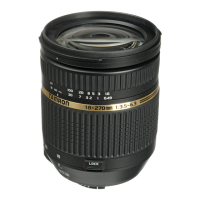
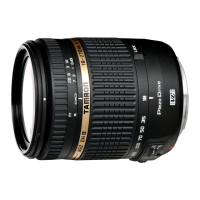
Tamron B008 - Nomenclature; Specifications

Tamron B008
11 pages
Print Icon
To Next Page IconTo Next Page
To Previous Page IconTo Previous Page
Loading...
Thank
you
for
purchasing
the
Tam
ron
lens
as
the
latest
addition
to
your
photographic
equipment.
Before
using
your
new
lens,
please
read
the
contents
of
this
Owner's
Manual
thoroughly
to
familiarize
yourself
with
your
lens
and
the
proper
techniques
for
creating
the
highest
quality
images
possible.
With
proper
handling
and
care,
your
Tamron
lens
will
give
you
many
years
of
photographing
beautiful
and
exciting
pictures.
,lll;
Explains
precautions
that
help
to
prevent
problems.
lLi,;:?
L/
·
Explains
things
you
should
know
in
addition
to
basic
operations.
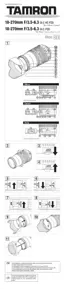
CD
Lens
hood
@
Hood
attaching
indicator
®
Hood
attaching
bayonet
ring
(])
Distance
scale
®
Zooming
ring
IjJ)
Zoom
lock
switch
(Figs.
[l] &
@])
@
AF/MF
switch
(Figs.lliJ
&
[ill)
@
Lens
attachment
mark
W
Hood
attaching
alignment
mark
@)
Filter
ring
®
Focusing
ring
®
Distance
index
@
Focal
length
scale
@
VC
(Vibration
Compensation)
switch
®
Zoom
index
mark
@
Lens
mount/Lens
mount
contacts
B008
Focal
Length
Maximum
Aperture
Angle
of
View
Lens
Construction
Minimum
Focusing
Distance
Maximum
Magnification
Ratio
Filter
Size
0
Length/Overall
Length
Diameter
0
Weight
Lens
Hood
18-270
mm
F/3.5
-
6.3
13/16
0.49
m
(19.3")
1
:3.8
(at
270
mm)
62mm
88.8
mm
(3.5")/96.4
mm
(3.8")'
74.4
mm
(2.9")
500
g
(17.6
ozl'
DA18000
values
are
specifications
of
Nikon
products.
Length:
From
the
lens
front
extremity
to
the
mount
surface.
Overall
length:
From
the
lens
front
extremity
to
the
rear
projection
extremity.
Features
and
appearance
of
lenses
listed
in
this
owner's
manual
are
subject
to
change
without
notice
.
How
to
mount
the
lens
Removing
the
rear
cap
of
the
lens.
Align
the
Lens
attachment
mark
@
on
the
lens
barrel
with
its
counterpart
on
the
camera
mount
and
insert
the
lens.
Rotate
the
lens
clockwise
until
it
click-locks.
For
Nikon
models,
align
the
lens
attachment
mark
with
the
dot
on
the
camera
and
rotate
the
lens
counter-clockwise
until
it
click-locks
.
How
to
detach
the
lens
Pressing
the
lens
release
button
on
the
camera
down,
turn
the
lens
counter-clockwise
(in
case
of
Nikon
lens,
clockwise),
and
lift
the
lens
off
the
camera's
lens
mount.
L ·
For
further
details,
please
read
the
instruction
manual
of
your
camera.
In
case
of
a
Nikon
or
Canon
camera,
switch
the
AF/MF
switch
@
on
the
lens
to
AF
(Fig.lli]).
In
case
of
a
Nikon
camera
with
the
focus
mode
selector
dial,
set
the
focus
mode
to
S
or
C,
and
then
set
the
AF/MF
switch
@
on
the
lens
to
AF.
Press
the
shutter
button
halfway
down
while
viewing
through
the
camera's
viewfinder,
the
lens
focuses
automatically.
An
in-focus
mark
will
light
when
lens
focuses
on
the
main
SUbject
sharply.
Press
the
shutter
button
further
to
photograph.
In
case
of
a
Sony
camera,
switch
the
AF/MF
switch
@
on
the
lens
to
AF
(Fig.lli]),
and
set
the
focus
mode
on
the
camera
to
Auto
focus
(AF).
Press
the
shutter
button
halfway
down
while
viewing
through
the
camera's
viewfinder,
the
lens
focuses
automatically.
An
in-focus
mark
will
light
when
lens
focuses
on
the
main
subject
sharply.
Press
the
shutter
button
further
to
photograph
.
..
Ib
When
set
on
AF
mode,
interfering
with
focusing
ring
®
may
cause
serious
damage
to
the
lens
mechanism.
',,,,eB
The
distance
scale
(])
is
marked
for
guidance
purposes.
The
actual
focal
point
may
slightly
differ
from
the
distance
marked
on
the
focal
length
index.
L'
·
For
fUither
details,
please
read
the
instruction
manual
of
your
camera.
In
case
of
a
Nikon
or
Canon
camera,
switch
the
AF/MF
switch
@
on
the
lens
to
MF
(Fig.
[ill).
In
case
of
a
Nikon
camera
with
the
focus
mode
selector
dial,
set
the
focus
mode
to
M,
and
then
set
the
AF/MF
switch
@
on
the
lens
to
MF.
Focus
manually
rotating
the
focusing
ring
®
while
viewing
through
the
camera's
viewfinder
(Fig.
[1]).
The
main
subject
in
the
viewfinder
will
be
sharp
when
the
lens
is
focused
correctly.
In
case
of
a
Sony
camera,
switch
the
AF/MF
switch
@
on
the
lens
to
MF
(Fig.
[ill),
and
set
the
focus
mode
on
the
camera
to
Manual
focus
(MF).
Focus
manually
rotating
the
focusing
ring
®
while
viewing
through
the
camera's
viewfinder
(Fig.
[1]).
The
main
subject
in
the
viewfinder
will
be
sharp
when
the
lens
is
focused
correctly.
~.
Even
in
the
MF
mode,
when
turning
focusing
ring
®
while
pressing
the
shutter
button
halfway,
the
focus
aid
function
lamp
lights
up
when
the
~i
picture
is
in
focus.
At
infinity,
make
sure
the
image
in
the
viewfinder
appears
sharp.
The
infinity
position
is
made
with
certain
allowances
to
insure
proper
focus
under
a
variety
of
conditions.
For
further
details,
please
read
the
instruction
manual
of
your
camera.

Other manuals for Tamron B008

Related product manuals