EasyManua.ls Logo

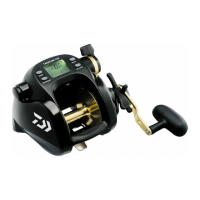
TANACOM 500S User Manual

TANACOM 500S
27 pages
To Next Page IconTo Next Page
Page #1 background imageLoading...
Page #1 background image
Thank you for purchasing a TANACOM 500S. To take full advantage of the reels
many useful functions, please read this manual carefully before using. Retain this
manual for future reference.
OPERATING MANUAL
Reference
Reference

Questions and Answers:

TANACOM 500S Specifications

General IconGeneral
BrandTANACOM
Model500S
CategoryFishing Equipment
LanguageEnglish

Summary

Caution

Precautions

Important safety warnings and guidelines for using the reel to prevent injury or damage.

Power source

How to connect the reel to the power source

Instructions for connecting the reel to a DC 12V power source, including battery and connector details.

About the power source

Information on power source requirements, voltage, and potential instability from boat power.

Maintenance

Names of the buttons and the display

RESET BUTTON

Description of the RESET BUTTON function, including depth counter reset and auto stop.

MODE BUTTON

Explanation of the MODE BUTTON's role in navigating settings and functions.

Names and functions of each part

Power lever

Controls winding power, speed, and is used for setting numerical values.

Waterproof Tournament drag

Adjusts drag to prevent line breakage against strong pulls.

Line data input (When line length is known)

P1 Inputting the line length

Procedure for inputting the exact length of line onto the spool before winding.

Line data input (With backing line)

P2 Inputting Line Backing

Method for inputting backing line data, used with Daiwa color-coded braided line.

Line data reset (Allows new depth setting)

Functional setting operation (1. Mode setting display)

Functional setting operation (2. Before you begin fishing)

Functional setting operation (3. Auto stop function)

Reel specifications

Trouble shooting

Motor does not respond to the power lever

Addresses issues where the motor fails to respond to the power lever commands.

Auto stop function does not work

Solutions for when the auto stop function fails to operate correctly.

Related product manuals