6
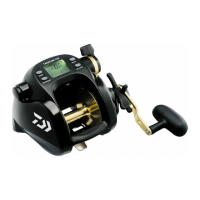
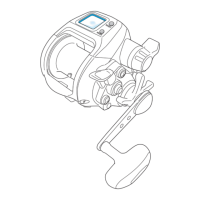
Names of the buttons and the display
Auto Line feeding is employed. Default
setting is off.
Pressing the RESET BUTTON makes this indicator
appear. (If the RESET BUTTON is not pressed,
Auto Stop will work at 5.0m from the broadside.)
If the supply voltage drops, the indicator
will blink. (Pressing the MODE BUTTON
does not change the indication.)
RESET BUTTON
This button resets the depth counter to zero.
Make sure to press this button before you start fishing. The reset depth is used to make the auto stop function
work. (display shows ). The default setting of auto stop is 2 meters.
The RESET BUTTON must be quickly pressed 3 times within 2 seconds. This prevents accidental resetting. For
a total reset, when line has been broken off, press and hold the button for at least 2 seconds.
Do not continuously hold down the reset button. This will prevent any counter errors.
1
MODE BUTTON
- Pressing the MODE BUTTON for two seconds sets the auto stop depth. (See page 18.)
2
MODE DISPLAY
- This display allows you to change setting of each function.
- The functions that are set to work are shown on the display.
Press the MODE BUTTON to scroll through the adjustment displays for each reel function.
- Use the Power Lever to adjust numeric values.
- Pressing the MODE BUTTON sets the numeric values you have adjusted.
- Depress and hold the MODE BUTTON to return to the depth display.
- Mode change cannot be done while line is being fed.
3
Depth counter
- It shows the depth from the surface.
4
Chumming timer (Power indicator, time to wind up, timer display)
- The chumming timer appears when motor rotation is stopped.The timer display cannot be set to OFF.
- Indicates winding speed (winding power) while the motor is running.
5
Display
Function


 To Next Page