EasyManua.ls Logo

Tandem Mobi Cartridge - User Manual

Tandem Mobi Cartridge
6 pages
Print Icon
To Next Page IconTo Next Page
Loading...
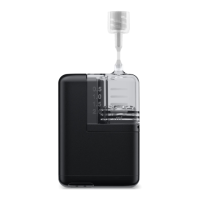
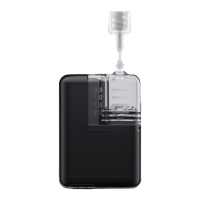
This guide explains how to load a
Tandem Mobi cartridge, which holds
up to 200 units of insulin, into the
Tandem Mobi insulin pump.
Before you begin, make sure to fill
a new cartridge with insulin. Flip to
back side for detailed instructions.
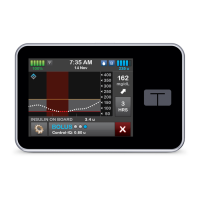
Tap Change Cartridge.
TapYes to confirm that insulin
deliveries will be stopped.
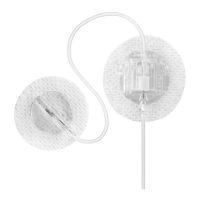
Disconnect the infusion set
from the insertion site on the
user’s body and tap Continue.
TANDEM MOBI SYSTEM
Load a Cartridge
1 2
Note: These instructions are provided as a reference tool for pump users and caregivers who are already
familiar with the use of an insulin pump and with insulin therapy in general. Not all screens are shown.
Formore detailed information on the operation of the Tandem Mobi system, please refer to its user guide.
Question and Answer IconNeed help?

Do you have a question about the Tandem Mobi Cartridge and is the answer not in the manual?

Overview

The Tandem Mobi insulin pump is a compact and lightweight device designed for continuous subcutaneous insulin delivery, compatible with Tandem Mobi mobile app for control and monitoring. It holds up to 200 units of insulin and is intended for use with Tandem Mobi insulin cartridges and infusion sets. The pump is designed to be paired with a new cartridge every time, and the mobile app allows for easy loading and management of cartridges.

Function Description:

The Tandem Mobi insulin pump delivers insulin continuously and can be managed through the Tandem Mobi mobile app. It supports both basal and bolus insulin delivery. The pump is designed to be used with a TruSteel infusion set or other compatible infusion sets. It features Control-IQ technology, an advanced hybrid closed-loop system that predicts glucose levels 30 minutes in advance and automatically adjusts insulin delivery to help prevent highs and lows. This technology is intended for use with Novolog or Humalog U-100 insulin. The pump can be paired with a compatible continuous glucose monitor (CGM) for real-time glucose data, which is essential for the Control-IQ technology to function.

Important Technical Specifications:

  • Insulin Capacity: Up to 200 units of U-100 insulin.
  • Compatibility: Tandem Mobi insulin cartridges, TruSteel infusion sets, and other compatible infusion sets.
  • Control-IQ Technology: Predictive low-glucose suspend and automatic basal insulin adjustments based on CGM readings.
  • Connectivity: Bluetooth for communication with the Tandem Mobi mobile app.
  • Power Source: The pump is designed to be paired with a new cartridge every time, and the mobile app allows for easy loading and management of cartridges. The pump's battery life is not explicitly stated but is managed through the app.

Usage Features:

  • Cartridge Loading: The process involves preparing the insulin vial, cleaning the septum, inspecting the cartridge, washing hands, and wiping the rubber septum of the insulin vial. Insulin is drawn into the cartridge by pulling back the fill rod, ensuring no air bubbles are present. The cartridge is then connected to the infusion set tubing.
  • Mobile App Control: The Tandem Mobi mobile app is used to load cartridges, fill tubing, fill cannulas, and manage insulin delivery. The app provides visual cues and step-by-step instructions for all procedures.
  • Infusion Set Connection: The infusion set tubing is connected to the cartridge, and the pump is used to fill the tubing with insulin.
  • Cannula Filling: After inserting the new infusion set, the cannula is filled with the required amount of insulin, entered via the mobile app.
  • Resume Insulin Delivery: After loading a new cartridge and filling the cannula, the app prompts the user to confirm that insulin deliveries should resume. A reminder to check blood glucose (BG) in 1-2 hours will display.
  • Disconnection: The app allows users to disconnect the infusion set from their body, prompting confirmation before proceeding.
  • Safety Features: The pump includes warnings about skin products, lotions, sunscreens, and insect repellents that can damage the plastic used to manufacture the pump and cartridge. Users are advised to always wash their hands before handling the pump or cartridge. The Control-IQ technology is not intended for use in pregnant women, people on dialysis, or critically ill patients. It is also not recommended for individuals who require less than 10 units of insulin per day or who weigh less than 55 pounds.
  • User Interface: The mobile app provides a clear and intuitive interface with prompts and visual confirmations for each step of the cartridge loading and pump management process.

Maintenance Features:

  • Cartridge Replacement: The cartridge must be replaced when empty or as indicated by the mobile app. The process involves removing the empty cartridge, placing the filled cartridge on the pump, and following the app's instructions to confirm the cartridge change.
  • Tubing and Infusion Set Replacement: The tubing and infusion set are replaced as per the manufacturer's recommendations or when a new cartridge is loaded.
  • Air Bubble Management: During the cartridge filling process, users are instructed to hold the cartridge and tubing vertically to ensure any air in the cartridge will be pushed out first. Releasing the pump button after three drops of insulin are seen at the end of the infusion set tubing confirms proper filling. Repeated steps are provided to ensure no air bubbles are present.
  • Disposal: Users are advised to follow instructions from local regulations to properly dispose of used needles, cartridges, set components, and infusion sets.

The Tandem Mobi insulin pump is a prescription-only device and is intended for single patient use. It is designed to be used by individuals with diabetes who require insulin therapy and are familiar with the use of an insulin pump and insulin therapy in general. All screens and instructions are shown for illustrative purposes, and users should refer to their user guide for detailed information on the operation of the Tandem Mobi system.

Tandem Mobi Cartridge Specifications

General IconGeneral
BrandTandem
ModelMobi Cartridge
CategoryMedical Equipment
LanguageEnglish

Related product manuals