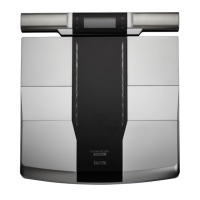
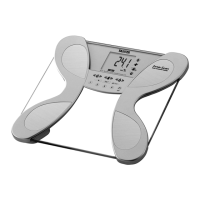
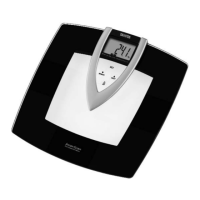
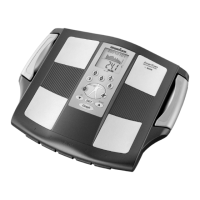
The Tanita InnerScan PRO RD-901PRO is a multi-frequency body composition monitor designed for home use, featuring integrated Bluetooth technology for seamless smartphone connectivity. This device provides comprehensive body composition analysis, helping users monitor various health metrics.
Function Description
The primary function of the InnerScan PRO RD-901PRO is to measure and estimate several body composition parameters using Bioelectrical Impedance Analysis (BIA). It passes a low-level electrical signal through the body to determine impedance, which is then used in medically researched formulas to calculate various metrics. The monitor utilizes Dual Frequency BIA technology, providing enhanced accuracy by assessing both intracellular and extracellular status.
Key measurements provided by the device include:
- Weight: The basic measurement of body mass.
- Body Mass Index (BMI): An indicator of body fat based on height and weight.
- Total Body Fat Percent: The proportion of body fat to total body weight. Reducing excess body fat is crucial for health, as it can lower the risk of conditions like high blood pressure, heart disease, diabetes, and cancer.
- Total Body Water Percent: The total amount of fluid in the body as a percentage of total weight. Maintaining healthy hydration levels is essential for efficient body function.
- Muscle Mass: The weight of muscle in the body, including skeletal, smooth, and the water contained within. Increased muscle mass helps boost basal metabolic rate.
- Physique Rating: An assessment of body composition based on the ratio of body fat and muscle mass, helping users understand their body type and track changes towards a healthier physique.
- Bone Mass: An estimation of bone mineral content.
- Visceral Fat Rating: Indicates the amount of fat surrounding vital organs in the abdominal cavity. Healthy visceral fat levels are important for reducing the risk of certain diseases.
- Basal Metabolic Rate (BMR): The minimum energy level the body needs at rest to function effectively. A higher BMR means more calories are burned, aiding in body fat reduction.
- Metabolic Age: Calculates BMR and indicates the average age associated with that metabolism type. A metabolic age higher than actual age suggests a need to improve metabolic rate, often through increased muscle tissue.
- Muscle Quality Score: Indicates the "quality" or state of muscle, which changes with age and fitness. This score is derived from intracellular and extracellular water measurements.
The device is designed for adults and children (age 7-17) with inactive to moderately active lifestyles, and adults with athletic lifestyles. Athlete Mode is specifically enhanced for individuals aged 18 and over who engage in significant physical training (12+ hours/week for at least six months), bodybuilders, professional athletes, or those with a history of high fitness levels.
Usage Features
The InnerScan PRO RD-901PRO offers several user-friendly features:
- Smartphone Connectivity: The monitor integrates with the "Healthy Edge Mobile" app via Bluetooth. Users can download the app, set up their profile, and register their device. Measurement results are automatically sent to the smartphone and displayed in the app, where they can be saved and tracked over time.
- Personal Data Memory: The device can store personal data for up to four individuals. This allows for personalized measurements and tracking. The backlight color changes according to the selected personal data number (Blue, Pink, White, Light blue) for easy identification.
- Auto-Recognition: When not connected to a smartphone, the device's auto-recognition feature can recall personal data by simply stepping on the platform. It can store up to 10 sets of measurements, which are then sent to the smartphone upon the next connection.
- Guest Mode: For one-time use without registering personal data, the guest mode allows users to input age, gender, and height for a single measurement.
- Weight-Only Measurement: Users can opt to measure only their body weight by pressing the dedicated button. The platform will display the weight and then automatically turn off.
- Location Code Setting: To ensure accurate weight readings, the device allows users to select a location code based on their geographical location, accounting for variations in gravitational pull.
- Unit Switching: The weighing unit (pounds, kilograms, or stone-pounds) can be switched using a button on the back of the platform. This also automatically adjusts height programming mode to feet/inches or centimeters.
- Display and Backlight: Measurement results are displayed in sequence on the screen. The backlight color provides an assessment of the results (e.g., green for normal range, yellow for over/under, red for obese/high).
- Error Indicators: The device provides clear error messages (e.g., "Lo" for low batteries, "OL" for exceeding weight capacity, "Err" for incorrect data or measurement range issues) to guide users in troubleshooting.
Maintenance Features
Proper care and maintenance ensure the longevity and accuracy of the InnerScan PRO RD-901PRO:
- Battery Management: The device uses AA-size alkaline batteries. Users are advised to insert batteries with correct polarity and remove them if the unit will not be used for an extended period to prevent leakage. The "Lo" indicator signals low battery, prompting replacement.
- Cleaning: To clean the platform, use a soft cloth soaked in water or a neutral household detergent, wring it out thoroughly, wipe the platform clean, and then dry it with a dry cloth. Avoid using boiling water, benzene, thinner, or submerging the platform in water, as this can cause damage.
- Placement and Storage: The platform should be placed on a hard, flat surface with minimal vibration for accurate measurements. It should not be used or stored in locations exposed to direct sunlight, near heaters, air conditioning units, severe temperature changes, high humidity, or excessive vibration.
- Safety Precautions: Users should avoid stepping on the edge of the platform or jumping on it to prevent injury. The body and feet must be thoroughly dry before use, as wet surfaces can lead to slipping and inaccurate readings. Do not drop objects or subject the platform to excessive impact or vibration.
- Data Integrity: The device is designed to save settings and measurement data. However, if the unit is not operated for 60 seconds during setup, or if the power is turned off before settings are complete, data may not be saved. In cases of mis-recognition, users can manually specify their personal data number.
- Smartphone Connection Troubleshooting: If connectivity issues arise (e.g., "Err pair," "Err DATA," "Err UUID"), users should check battery status, ensure Bluetooth is enabled on the smartphone, verify the device and smartphone are within communication range (16.4ft/5m unobstructed), and delete/re-pair the device in smartphone settings if necessary.
- Date and Time Synchronization: When linked with a smartphone, the date and time settings on the monitor are automatically overwritten by the smartphone's settings, ensuring consistency. If "Err c9" appears, removing and replacing batteries and resetting the date and time is recommended.
The InnerScan PRO RD-901PRO is intended for home use only and not for professional settings like hospitals or fitness facilities, as such use would invalidate the warranty. It provides informational readings and is not intended for diagnosing or treating medical conditions; users should consult a physician for medical advice.

 Need help?
 Power
Power Operating Environment
 Weight and Dimensions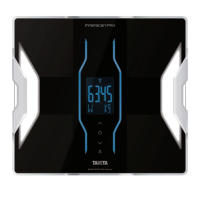

 To Next Page