1. Set the auto-stop to "ON" and short press “M” button on the control panel to switch mode to "bt" on the display.
2. Using the controls on your Bluetooth device, search for and select "DANFI AUDIO"in your Bluetooth settings to pair. If
your device requests a password, enter the default password "0 0 0 0 " and press OK.
3. When successfully paired and connected, an audible chime will sound. After initial pairing, the unit will stay paired unless
unpaired manually by the user or erased due to a reset of the device. If your device should become unpaired or you find it is
unable to connect, repeat the above steps.
4. Play, pause or skip a selected track using the controls on the connected Bluetooth Device or the controls on the turntable.
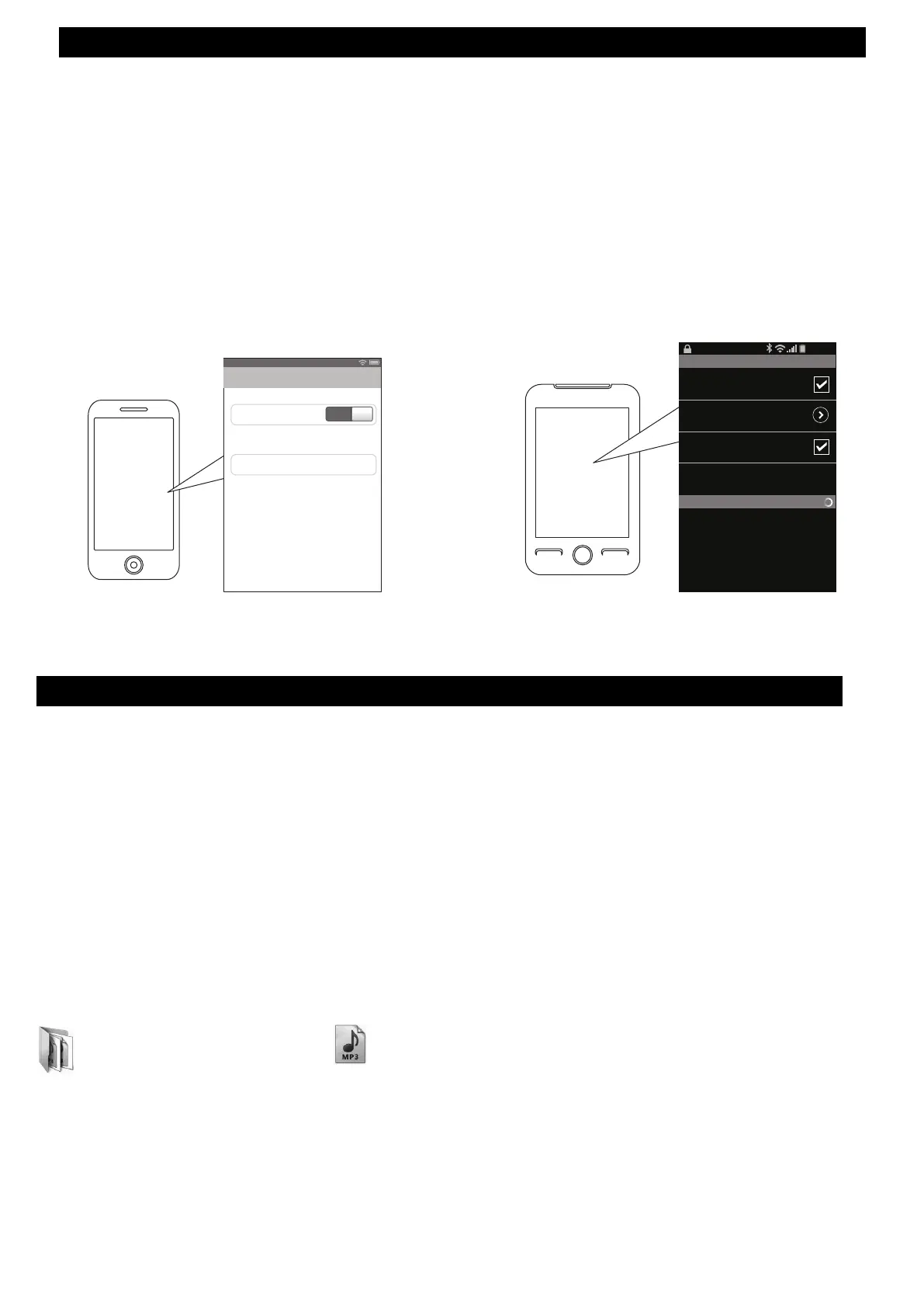
On an iPhone
• Go to SETTINGS > BLUETOOTH
Search for devices (Make sure Bluetooth is
turned ON)
Paired
Bluetooth
Bluetooth
ON
DANFI AUDIO
Devices
Now discoverable
12:12 PM
On an Android Phone
Bluetooth settings
Bluetooth devices
Scanning
Bluetooth
Device name
DANFI AUDIO
Visible
Search for devices
Make device visible
• Go to SETTINGS > BLUETOOTH
Search for devices (Make sure Bluetooth is
turned ON)
12:12 PM
Bluetooth Input--- pairing with Bluetooth
1. Insert your USB/TF card into the USB/TF slot. Press and hold the “M” button for 3 seconds till the display shows
”REC”, you will hear one time beep sound and it begins to recording meanwhile the display shows the time
counting of the recording.
2. Stop recording. Press and hold the “M” button for few seconds, the recording will stop(display will show "STOP")
and save the recorded audio automatically to USB or TF card as the last song, then you can plug out the USB device.
3. Find below files on your computer for one recorded song, and repeat steps 1-2 above if you want the other
recordings.
File Folder
FILE0001.WAV
(Recorded in WAV format)
⇒ son folder
JL_REC
NOTE:
• Recording ONLY support USB in FAT/FAT32 format, and save as WAV. files.
• MAKE A COPY and formating USB flash drive (if in exFAT or NTFS format ) into FAT/FAT32 format.
USB Recording
Make sure that the USB memory / TF card you use has enough space.
For recording, press "M" Mode switching / recording button at the start and end of each song.
This unit does not have a function to automatically separate songs, the recording from the start to the end is
recorded as one file. (Please note that it will not be individual data for each song)
Never remove the USB memory / TF card while recording. If you remove it, the recorded data may be damaged.


 To Next Page
 Loading...