Need help?
Do you have a question about the TaoTronics TT-TF005 and is the answer not in the manual?
Crucial warnings about handling the fan, including electrical and physical hazards, and proper usage.
Specifies appropriate use by individuals and for household purposes only, with supervision for children.
Details proper voltage connection, polarized plug, and fuse replacement for electrical safety.
Prohibits use in flammable areas and attempting unauthorized modifications or repairs.
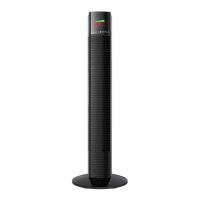
Identifies and illustrates the various parts of the tower fan, including front and rear components and accessories.
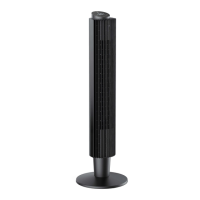
Guides through the tool-free assembly process and adjusting the fan's height with the extension column.
Explains the functions of the control panel buttons for basic fan operation and settings.
Details how to select fan modes (Normal, Sleep, Natural) and their specific operational characteristics.
Describes how to turn the fan on/off, set timers, and control oscillation for comfort.
Illustrates the LED display indicators and provides detailed explanations of fan modes like Normal, Sleep, and Natural.
Explains how to use the remote control to operate the tower fan's functions conveniently.
Explains the fan's memory function for settings and the auto-off feature for the display.
Provides step-by-step instructions for safely replacing the fuse in the fan's plug.
Details how to replace batteries in the remote control, including safety precautions.
Outlines safe methods for cleaning the fan's surfaces and internal parts, with essential warnings.
Advises on proper storage to protect the fan from dust and damage when not in use.
Addresses common problems encountered with the tower fan and provides initial solutions.
Offers solutions for issues related to fan noise during operation and insufficient wind power.
Provides guidance on resolving problems with the remote control's functionality and the fan's oscillation.
Clarifies the purpose and adjustment of the extension column for height customization.
Details the product's warranty period and lists specific conditions under which the warranty is void.
Provides information on how to contact customer support for service and warranty claims.
 General
| Model | TT-TF005 |
|---|---|
| Type | Tower Fan |
| Speed Settings | 3 |
| Oscillation | Yes |
| Timer | Yes |
| Timer duration | Up to 12 hours |
| Remote Control | Yes |
| Power | 45W |
| Voltage | 120V |
| Frequency | 60Hz |
| Modes | Normal, Sleep, Natural |

 To Next Page