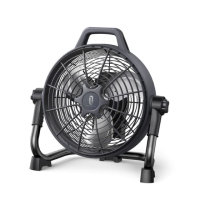
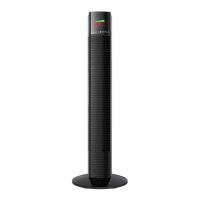
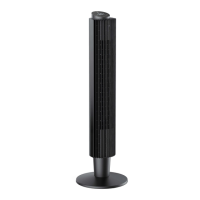
This document is a user manual for the TaoTronics Stand Fan, model TT-TF010. It provides comprehensive instructions for assembly, operation, maintenance, and troubleshooting, ensuring a customized airflow and personalized comfort for household use.
The stand fan is designed to provide cooling and air circulation within a home environment. Its primary function is to generate airflow, which can be adjusted in terms of speed and mode to suit individual preferences. The fan is equipped with features that allow for both vertical and horizontal adjustments, ensuring that the airflow can be directed precisely where needed.
Important Safety Instructions
Before operating the fan, it is crucial to read and understand all safety instructions and cautionary markings provided in the manual and on the appliance itself. Key safety measures include:
- Electrical Safety: Always ensure the fan is placed on a flat, level surface. Keep the power cord away from heavy traffic areas to prevent tripping hazards and fire risks. Never route the cord under furniture or appliances. The appliance must be connected to a professionally installed power socket with the correct voltage. Do not operate the fan with a damaged cord or plug, or if the product malfunctions, is dropped, or damaged. This fan has a polarized plug, designed to fit into a polarized outlet in only one way to reduce the risk of electric shock. If the plug does not fit, reverse it; if it still doesn't fit, contact a qualified electrician. Do not attempt to bypass this safety feature. The product also includes overload protection (fuse); if the fuse blows, replace it according to the instructions provided.
- Physical Safety: Do not touch or hold the mains plug with wet hands. Avoid blocking or covering the airflow to or from the fan during operation. Never insert fingers or objects through the grille. Wait until all moving parts have completely stopped before touching them. Do not use the fan in a bathroom. Always ensure the safety guard is in place and undamaged before use. Keep hands, hair, clothing, and utensils away from the safety guard during operation to prevent injuries and damage. Do not place clothes or curtains on the product, as they could be sucked into the fan and cause damage.
- General Use: The appliance is intended for household purposes only. It is not for use by persons (including children) with reduced physical, sensory, or mental capabilities, or lack of experience and knowledge, unless supervised or instructed by a person responsible for their safety. Close supervision is necessary when children are near the appliance. Children should be supervised to ensure they do not play with the appliance. Cleaning and user maintenance should not be done by children unless they are older than 8 and supervised. Any other use not explicitly described in the manual is not recommended and may cause fire, electric shock, or injury.
- Maintenance: Always unplug the appliance before cleaning, making any repairs or servicing, or whenever it is not in use. It is normal for the fan to produce some noise during operation; if it is too loud, set the fan to a lower speed. Do not attempt to disassemble, repair, modify, or replace any part of the product; all servicing should be performed by qualified personnel.
Assembly
Assembling the stand fan involves several steps, starting with the base and head, followed by the blade and grille.
- Base & Head Assembly:
- Unscrew the Grill Nut counterclockwise and set it aside.
- Insert the Fan Head Assembly onto the Pole.
- Tighten the Knob clockwise to secure the head.
- Connect the Pole with the Stand Base.
- Loosen the Knob on the pole to adjust and secure the desired height.
- Secure the Connection Bolt clockwise at the bottom of the base.
- Blade & Grille Assembly:
- Position the Rear Grille onto the Head Assembly, ensuring the three alignment holes (A, B, C) align with the three prongs.
- Screw on the grill nut clockwise.
- Install the large blade onto the shaft until the retaining pin fits into the notch.
- Screw on the small blade counterclockwise.
- Align and clip the Front Grille into the indent of the Locking Clips on the Rear Grille.
- Loosen the Locking Screw and open the Locking Bracket.
- Close the Locking Bracket and secure the grilles with the Locking Screw.
Operation and Functions
The fan offers various operational modes and controls for a personalized experience.
- Power ON/OFF: Press the Power button to turn the unit on or put it in standby mode.
- Control Knob: This knob serves multiple functions:
- Fan Speed: Turn the knob to select a fan speed from 1 to 12.
- Timer Control: Press the Timer button, then turn the knob to select a timer duration from 0 to 18 hours.
- Auto ON/OFF Timer: Press repeatedly to select a timer from 0 to 18 hours. To cancel, select "OH" timer, hold the Timer button, or press the Power button to turn off the unit.
- Fan Mode: Press repeatedly to cycle through different modes: Normal, Natural, and Sleep.
- Oscillation:
- Short press to start or stop the oscillation function, which moves the fan head from side to side to distribute air over a wider area.
- Long press to mute or unmute the fan's operational sounds.
- LED Display: The LED display shows the current fan speed (1-12) and timer setting (0-18h). It also indicates the selected fan mode (Normal, Natural, Sleep).
- Memory Function: If the power is not disconnected, the fan will remember your last settings (except for the timer setting) when you turn it on again.
- Auto Display OFF: If no operation is performed within 1 minute of being powered on, the display will automatically turn off. Press any button to wake it up.
- Remote Control: For added convenience, all control buttons found on the fan's main panel are also available on the remote control. The remote has an effective range of approximately 6 meters.
Remote Control Battery Replacement
The remote control uses a CR2025, 3V lithium button/coin cell battery.
- Press the locking button to remove the battery holder.
- Replace the battery with a new one, ensuring the (+) side faces up.
- Push the holder back in until it is securely locked into place.
- Caution: Replace with new batteries of the same type when required. Remove batteries if the remote control will not be used for a long time. Do not attempt to dismantle batteries. Do not dispose of batteries in fire, as they may explode or leak. Do not use rechargeable batteries.
- WARNING: Chemical Burn Hazard. Keep batteries away from children. Swallowing a lithium button/coin cell battery can cause severe internal burns and lead to death in as little as 2 hours. Always secure the battery compartment. If it does not close securely, stop using the product, remove the batteries, and keep it away from children. If batteries might have been swallowed or placed inside any part of the body, seek immediate medical attention. Dispose of cells properly, including keeping them away from children, as even used cells may cause injury.
Fuse Replacement
The fan features a fused safety plug designed to cut off electric current in case of an electrical fault. If the fan loses power and a blown fuse is suspected:
- Grasp the plug and remove it from the electrical outlet.
- Slide the fuse cover, located on the top of the plug, towards the prongs.
- Remove the blown fuse and snap a new 5 Amp, 125 Volt fuse into place.
- Slide the cover back to close the fuse compartment.
Cleaning and Maintenance
Regular cleaning and maintenance are essential to ensure the fan's longevity and optimal performance.
- Before Cleaning: Always ensure the stand fan is turned off and unplugged from the power source.
- General Precautions: Do not stick any foreign objects or your fingers inside the unit. Never immerse the fan in water or allow water to drip into the motor housing. Do not clean with abrasive chemicals or flammable cleaning agents.
- Washable Parts:
- Clean with a soft cloth or sponge dipped in diluted neutral detergent, then rinse thoroughly.
- Completely dry the parts before reconnecting to a power source.
- Non-Washable Parts:
- Wipe with a soft, dry cloth. If necessary, use a damp cloth.
- Completely dry the parts before reconnecting to a power source.
- Storage: For storage, disassemble and clean the fan as instructed. You may leave the fan covered to protect it from dust. Store it in a cool, dry place.
Troubleshooting
The manual provides a troubleshooting guide for common problems. If issues persist, contact TaoTronics Customer Support at support@taotronics.com.
- Excessive Noise: It is normal for the fan to produce some noise during operation. If it is too loud, set the fan to a lower speed. Check if the blades are installed properly.
- Fan Vibrates: Ensure the fan is connected to a powered electrical outlet. If the fan loses power and a blown fuse is suspected, replace the fuse in the plug as instructed.
- Fan Does Not Operate: Make sure the fan is placed on a level surface. Clean the blades regularly.
Warranty and Service
The TaoTronics Stand Fan is covered by a 12-month product and labor warranty from the date of original purchase. The warranty does not apply in cases of:
- Accident, misuse, or repairs performed by unauthorized personnel.
- Any unit tampered with or used for commercial purposes.
- Normal wear and tear of wearable parts.
- Use of force or damage caused by external influences.
- Damage caused by non-observance of the User Manual (e.g., connection to an unsuitable mains supply or non-compliance with instructions).
- Partially or completely dismantled appliances.
- Defects caused by or resulting from damages from shipping or from repairs, service, or alteration to the product or any of its parts by a repair person not authorized by TaoTronics.
After-sales service is only provided for products sold by TaoTronics or its authorized retailers and distributors. For purchases from other sources, contact your seller for return and warranty issues. Always have your invoice and order ID ready when contacting Customer Support.

 Need help?
 General

 To Next Page