EasyManua.ls Logo

TaoTronics TT-TF007 - User Manual

TaoTronics TT-TF007
13 pages
Print Icon
To Next Page IconTo Next Page
Loading...
Questions or Concerns?
support@taotronics.com
AIR COOLER
TT-TF007
User Manual
max
6L
5L
4L
3L
2L
min
Question and Answer IconNeed help?

Do you have a question about the TaoTronics TT-TF007 and is the answer not in the manual?

Summary

Important Safety Instructions

General Safety Warnings and Precautions

Key safety warnings and precautions for operating the air cooler, including electrical safety.

Intended Use and Limitations

Specifies the intended household use and limitations of the air cooler for safe operation.

Knowing Your Air Cooler

Air Cooler Components Overview

Identifies and illustrates the main parts of the air cooler, including front and rear components.

Control Panel and Display Functions

Details the functions of the control panel buttons and the LED display indicators for operation.

Remote Control Operation

Describes the functions and buttons available on the remote control for convenient operation.

Using Your Air Cooler

Optimal Usage Strategies

Provides tips and strategies for optimal use and performance of the air cooler.

Filling the Water Tank and Ice Packs

Step-by-step instructions for filling the water tank and using optional ice packs for enhanced cooling.

Additional Features Explained

Details special functions like memory, low water protection, and auto shut-off for enhanced user experience.

Cleaning and Maintenance

Remote Battery Replacement

Instructions on how to replace the battery in the remote control, including safety warnings.

Cleaning Procedures for Components

Detailed steps for cleaning the outer surface, dust filter, cooling pad, and water tank.

Storage Guidelines

Instructions on how to properly store the air cooler when not in use to protect it from dust and damage.

Troubleshooting Common Issues

Problem Diagnosis and Solutions

Addresses frequent problems like noise, airflow, cooling efficiency, and water leaks with practical solutions.

Warranty and Service Information

Overview

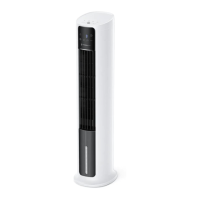
The TaoTronics TT-TF007 is an air cooler designed to provide cooling and humidifying air in your living room. It functions as an evaporative cooler, which means it's not an air conditioner but rather a device that draws in warm air through a wet honeycomb panel, evaporates moisture into water vapor, and then blows out cool, humid air.

Function Description:

The air cooler operates with a fan, a water circulation pump system, and a honeycomb absorption panel. It's capable of cooling and humidifying the air, making it suitable for use in various environments, especially those with relatively dry air where it can also act as a humidifier. It can be used as a tower fan without the cooling/humidifying function activated.

Usage Features:

The device features a control panel and an LED display for easy operation. It also comes with a remote control for added convenience, allowing you to control all functions from a distance.

  • Fan Modes: You can select from Normal, Sleep, or Natural fan modes to suit your preference.
  • Cooling/Humidifying Function: This can be turned on or off as needed to provide a cooling and humidifying effect.
  • Oscillation: The air cooler has an oscillation function that can be started or stopped with a short press. A long press restores the device to factory settings.
  • Fan Speed/Timer Control: You can adjust the fan speed and set a timer using the dedicated buttons. The timer allows you to set an auto ON/OFF time between 0.0 and 10 hours.
  • Power ON/OFF: A simple button to turn the device on or put it in standby mode.
  • Water Tank: The air cooler has a water tank that can be filled in two ways. The first method involves unlocking a buckle, pulling out the tank, adding water (below the MAX line), and then pushing it back and locking it. The second method requires unlocking the buckle, unscrewing a rotary knob to separate the water pump, removing the tank to add water, aligning and locking the water pump back, and then pushing the tank back and locking it in place.
  • Ice Packs (Optional): For enhanced cooling, the air cooler includes two ice packs that can be frozen and reused. These are added to the water tank, ensuring the total water and ice pack volume does not exceed the MAX line.
  • Memory Function: The fan remembers your last settings (except for the timer) when powered off and will resume them when turned on again.
  • Low Water Protection: If the water level in the tank is insufficient while in Cooling/Humidifying mode, Low Water Protection will activate, indicated by a flashing indicator. To reactivate humidifying, the water tank needs to be refilled to the maximum level, and the Cooling/Humidifying function must be turned on again.
  • Auto Display OFF: The display automatically turns off after 1 minute of no operation when powered on. Pressing any button will wake it up.
  • 12-Hour Auto Shut Off: The fan will automatically shut off after 12 hours of continuous operation without any user interaction.

For optimal use, it's recommended to open a window or leave the door ajar for circulation of fresh and dry air. The air cooler is most effective in smaller areas like single rooms, office cubicles, and personal spaces. It can also be used in conjunction with an air conditioner to circulate air more efficiently in summer.

Maintenance Features:

Regular cleaning and maintenance are crucial for the air cooler's performance and hygiene.

  • Safety First: Always ensure the air cooler is turned off and unplugged before cleaning. Avoid sticking foreign objects or fingers inside the unit, immersing it in water, or allowing water to drip into the motor housing. Do not use abrasive chemicals or flammable cleaning agents.
  • Outer Surface Cleaning: The exterior can be wiped with a soft, dry cloth or a damp cloth if necessary. Ensure it is completely dry before reconnecting to a power source.
  • Dust Filter & Cooling Pad Cleaning: To prevent clogging from dust and buildup, it's recommended to clean the dust filter and cooling pad at least once a month.
    • To clean, first pull out the dust filter.
    • Then, unlock the bottom buckle and take out the cooling pad.
    • Rinse the cooling pad and brush it to remove debris.
    • Ensure both the dust filter and cooling pad are completely dry before reinstalling them.
  • Water Tank Cleaning: The water tank should be emptied and cleaned regularly to maintain hygiene and prevent the buildup of hard water and mineral deposits.
    • Separate the water tank from the water pump (refer to the "Filling the Water Tank" section for instructions).
    • Clean and rinse the tank. For stubborn hard water buildup, use a diluted vinegar solution and rinse thoroughly.
    • After cleaning, lock the water pump back and push the water tank into place.
  • Battery Replacement (Remote Control): When the remote control batteries need replacement, use new batteries of the same type (CR2025, 3V), ensuring the (+) side faces up. Press the locking button to remove the battery holder, replace the battery, and push the holder until securely locked. If the remote control won't be used for an extended period, remove the batteries. Do not dismantle, dispose of in fire, or use rechargeable batteries.
  • Storage: For storage, you can cover the air cooler to protect it from dust. Store it in a cool, dry location and wrap the cord around the cord wrap on the unit to prevent tripping hazards or damage.

TaoTronics TT-TF007 Specifications

General IconGeneral
Timer24 hours
Remote ControlYes
OscillationYes
Voltage50/60Hz
Cooling Capacity9000 BTU
Power SourceAC
Installation TypePortable

Related product manuals