14
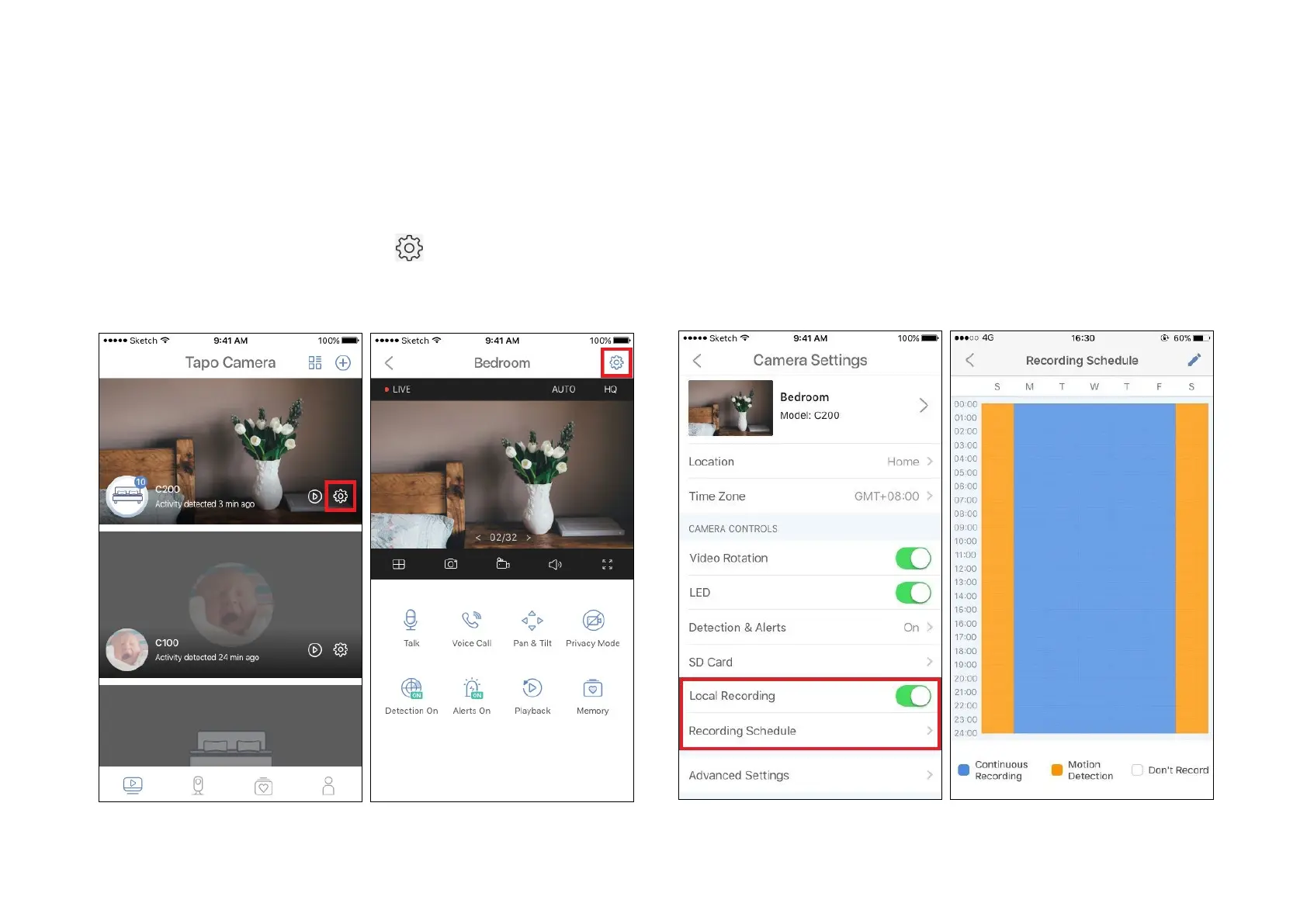
1. On the Camera or Live View page, tap
to enter the Camera Settings
page.
2. Toggle on to enable the Local Recording function and set the
Recording Schedule for Continuous Recording (24-hour Recording)
as needed.
24-hour Recordings
Micro SD card is needed for 24-hour recording and it’s suggested to format the Micro SD card before inserting it into the camera.


 To Next Page