6
Camera Page
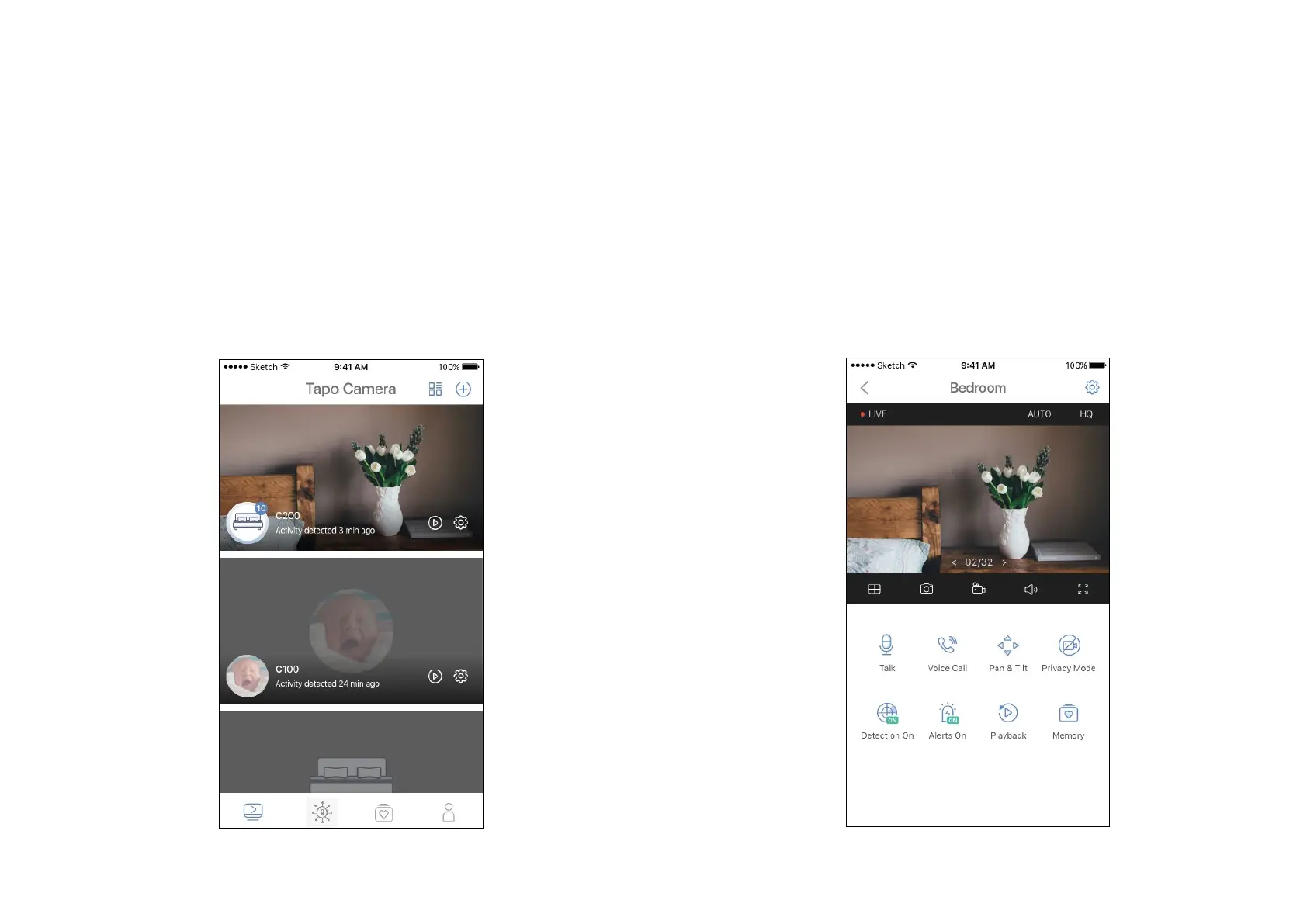
This page lists all your cameras you've added and you can view them
directly and manage them easily. Tap a camera to enter the Live View
page.
Main Camera Controls
After you successfully set up the camera, you will see your camera listed on the home page. You can view and manage your camera from anywhere at
any time with the Tapo Camera app.
Live View
Tap Talk or Voice Call to communicate with others, use Pan & Tilt to rotate
your camera to monitor every angle of your room, enable Detection and
Alerts when motion detected, turn on the Privacy Mode to shut down the
surveillance, or go to Playback to check recordings.


 To Next Page