7
Camera Settings
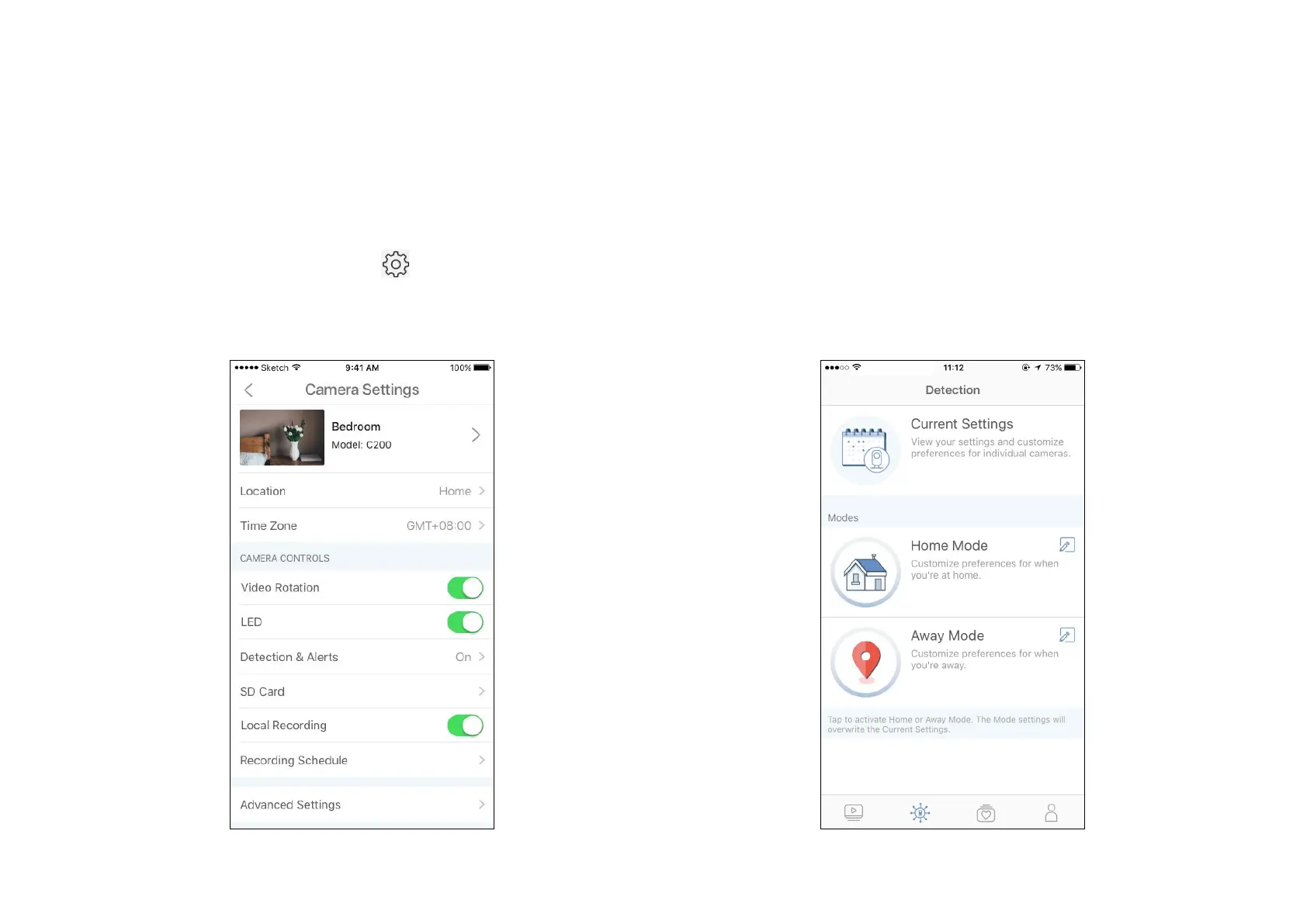
On the Camera or Live View page, tap to enter the Camera Settings
page. You can change the settings of your camera to meet various needs,
such as change your camera name, customize recording and detection
schedules, turn on or o notications, set activity zones, etc.
Detection Page
View your camera detection settings and customize preferences for
individual cameras. You can also tap to activate the Home or Away
Mode with preset settings for when you're home or away.


 To Next Page