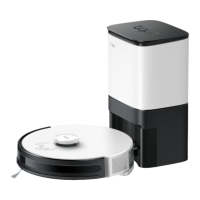
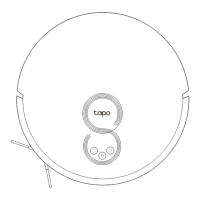
This document is a user manual for a Tapo LiDAR Navigation Robot Vacuum, providing instructions for its setup, operation, maintenance, and troubleshooting.
Function Description:
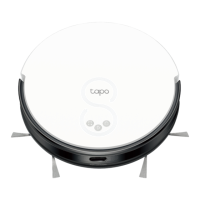
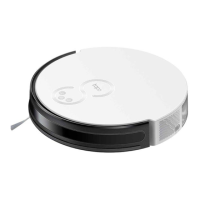
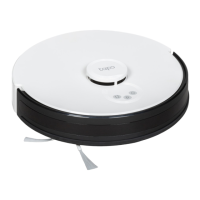
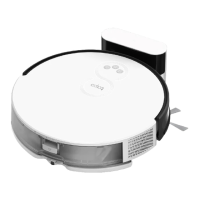
The Tapo LiDAR Navigation Robot Vacuum is designed for automated floor cleaning using LiDAR technology for navigation. It can perform general cleaning, spot cleaning, and can be controlled via a mobile application. The vacuum is equipped with a dustbin, main brush, side brushes, and a HEPA filter to capture dust and debris. It features a charging dock for automatic recharging and can be integrated with a smart home ecosystem through the Tapo app for advanced functionalities like smart maps, cleaning modes and preferences, scheduled cleaning, and custom zones/virtual walls.
Important Technical Specifications:
- Battery: 2600mAh lithium-ion battery.
- Operating Temperature: 0 ~ 40°C (32°F ~ 104°F).
- Storage Temperature: -20 ~ 60°C (-4°F ~ 140°F).
- Charging Temperature: 0 ~ 45°C (32°F ~ 113°F).
- Charging Dock: Supports safety extra-low voltage defined in EN 60335-1.
- Wi-Fi Frequency: 2400MHz-2483.5MHz (20dBm Wi-Fi) and 2402-2480MHz (10dBm Bluetooth).
- Power Adapter: A specific detachable supply unit is required for connecting to the equipment.
- HEPA Filter: One HEPA filter is pre-installed in the robot vacuum.
- Battery Capacity (Charging Dock): The charging dock can only charge lithium batteries and can only charge one battery at a time. The capacity of the battery does not exceed 2600mAh.
Usage Features:
- Power/Clean Button: Press once to start/pause cleaning. Press and hold for 3 seconds to turn on/off the robot vacuum. For first use, slide the power switch from OFF to ON.
- Dock Button: Returns the robot vacuum to the charging dock.
- Spot Cleaning/Child Lock Button: Press once to start spot cleaning. Press and hold for 5 seconds to turn on/off the child lock.
- Combination Button (Dock + Spot Cleaning/Child Lock): Press and hold simultaneously for 5 seconds to enter setup mode to configure the network. Press and hold simultaneously for 10 seconds to restore factory default settings.
- LED Indicator:
- Red: Battery level < 20% or Error.
- Orange: Battery level between 20% and 80%.
- Green: Battery level > 80%.
- Charging: The robot vacuum automatically returns to the dock to recharge when the battery is low. It is recommended to charge the robot vacuum for about 4 hours prior to starting the first cleaning job.
- Tapo App Control: Download the Tapo app to access features like smart maps, cleaning modes, scheduled cleaning, and custom zones/virtual walls.
- Energy Saving Mode: When docked, press and hold the Power button and the Dock button for more than 15 seconds until the LED turns off to enter Energy Saving mode. In this mode, charging continues, but other functions, LEDs, sensors, and Wi-Fi are disconnected. To exit, press the Power button.
- Placement of Dock: Place the dock on a level surface, flat against a wall, without obstacles within 1.5m (4.9ft) in front and 0.5m (1.6ft) on left and right. Ensure good Wi-Fi signals and avoid direct sunlight.
- Initial Setup: Remove protective strips and film from the front bumper. Install side brushes by identifying colors (black-black; white-white) and pressing them tightly into the slots. Slide the power switch from OFF to ON to power on.
Maintenance Features:
- Dustbin: Clean/wash as needed.
- To empty: Remove the dustbin, open it, empty contents, and place it back into the vacuum.
- Filter: Replace every 3-6 months.
- To clean: Remove the dustbin, open the lid, remove the filter. Clean the filter with a cleaning brush. Wash the dustbin and filter (do not use hot water or detergents). Air-dry thoroughly before re-installing.
- Main Brush: Clean every 2 weeks, replace every 6-12 months.
- To clean: Turn the robot vacuum over, unlatch and remove the main brush cover. Remove the brush and its end cap. Remove any hair or debris with the cleaning brush. Re-install the cap and main brush, pressing the cover to lock it.
- Side Brush: Clean once a month, replace every 3-6 months.
- To clean: Pull firmly to remove side brushes and remove any entangled debris. Wipe with a damp cloth if needed. Re-install side brushes to the slot (black-black; white-white) and press them tightly to ensure they are installed in place.
- Caster Wheel: Clean as needed.
- To clean: Pull firmly to remove the caster wheel and remove hair or dirt. Re-install the caster wheel by pressing it firmly in place.
- Main Wheels: Clean once a month.
- To clean: Wipe main wheels with a clean, dry cloth.
- LiDAR and Sensors: Clean once a month.
- To clean: Wipe the sensors (LiDAR, Recharge Sensor, Cliff Sensors) with a clean, dry cloth.
- Charging Contacts: Clean once a month.
- To clean: Wipe charging contacts on both the robot vacuum and the charging dock with a clean, dry cloth.
Important Safety Instructions:
- Read all instructions before use.
- Reduce the risk of fire, electric shock, or injury.
- Do not leave appliance plugged in. Unplug from outlet when not in use and before servicing.
- Do not use outdoors or on wet surfaces.
- Do not allow to be used as a toy. Close attention is necessary when used by or near children.
- Use only as described in this manual. Use only manufacturer’s recommended attachments.
- Do not use with damaged cord or plug. If appliance is not working as it should, has been dropped, damaged, left outdoors, or dropped into water, return it to a service center.
- Do not handle plug or appliance with wet hands.
- Use extra care when cleaning on stairs.
- Do not put any object into openings. Do not use with any opening blocked; keep free of dust, lint, hair, and anything that may reduce air flow.
- When battery pack is not in use, keep it away from other metal objects, like paper clips, coins, keys, nails, screws or other small metal objects, that can make a connection from one terminal to another. Shorting the battery terminals together may cause burns or a fire.
- Do not charge the battery at ambient temperature below 39°F (4°C) or above 104 °F (40°C). Also keeping the temperature range of between 39-104°F when storing unit or during use.
- To reduce the risk of electric shock, this appliance has a polarized plug (one blade is wider than the other). This plug will fit in a polarized outlet only one way. If the plug does not fit fully in the outlet, reverse the plug. If it still does not fit, contact a qualified electrician to install the proper outlet. Do not change the plug in any way.
- Keep hair, loose clothing, fingers, and all parts of body away from openings and moving parts.
- Turn off all controls before unplugging.
- Do not pick up anything that is burning or smoking, such as cigarettes, matches, or hot ashes.
- Do not use without dust bag and/or filters in place.
- Prevent unintentional starting. Ensure the switch is in the off-position before connecting to battery pack, picking up or carrying the appliance. Carrying the appliance with your finger on the switch or energizing appliance that have the switch on invites accidents.
- Recharge only with the charger specified by the manufacturer. A charger that is suitable for one type of battery pack may create a risk of fire when used with another battery pack.
- Use appliances only with specifically designated battery packs. Use of any other battery packs may create a risk of injury and fire.
- Under abusive conditions, liquid may be ejected from the battery; avoid contact. If contact accidentally occurs, flush with water. If liquid contacts eyes, additionally seek medical help. Liquid ejected from the battery may cause irritation or burns.
- Do not use a battery pack or appliance that is damaged or modified. Damaged or modified batteries may exhibit unpredictable behavior resulting in fire, explosion or risk of injury.
- Do not expose a battery pack or appliance to fire or excessive temperature. Exposure to fire or temperature above 130°C may cause explosion.
- Follow all charging instructions and do not charge the battery pack or appliance outside of the temperature range specified in the instructions. Charging improperly or at temperatures outside of the specified range may damage the battery and increase the risk of fire.
- Have servicing performed by a qualified repair person using only identical replacement parts. This will ensure that the safety of the product is maintained.
- Do not modify or attempt to repair the appliance except as indicated in the instructions for use and care.
- Place the cords from other appliances out of the area to be cleaned.
- Do not operate the vacuum in a room where an infant or child is sleeping.
- Do not operate the vacuum in an area where there are lit candles or fragile objects on the floor to be cleaned.
- Do not operate the vacuum in a room that has lit candles on furniture that the vacuum may accidentally hit or bump into.
- Do not allow children to sit on the vacuum.
- Do not use the vacuum on a wet surface.
- Household use only.
- Keep the device away from water, fire, humidity or hot environments.
- This appliance contains batteries that are only replaceable by skilled persons.
- Do not attempt to disassemble, repair, or modify the device. If you need service, please contact us.
- Avoid replacement of a battery with an incorrect type that can defeat a safeguard.
- Avoid disposal of a battery into fire or a hot oven, or mechanically crushing or cutting of a battery, that can result in an explosion.
- Do not leave a battery in an extremely high temperature surrounding environment that can result in an explosion or the leakage of flammable liquid or gas; Do not leave a battery subjected to extremely low air pressure that may result in an explosion or the leakage of flammable liquid or gas.
- Children should be supervised to ensure that they do not play with the appliance.
- The appliance is only to be used with the charging station (Tapo RVB101) provided with the appliance.
- WARNING: For the purposes of recharging the battery, only use the detachable supply unit provided with this appliance: SA182H-190060K / SA182H-190060S / SA182V-190060V / SA182V-190060B / SA182V-190060J / SA182V-190060U / SA182V-190060IV.
- TP-Link hereby declares that the device is in compliance with the essential requirements and other relevant provisions of directives 2014/53/EU, 2009/125/EC, 2011/65/EU and (EU) 2015/863. The original EU declaration of conformity may be found at https://www.tapo.com/en/support/ce/.
- TP-Link hereby declares that the device is in compliance with the essential requirements and other relevant provisions of the Radio Equipment Regulations 2017. The original UK declaration of conformity may be found at https://www.tapo.com/support/ukca/.

 Need help?
 General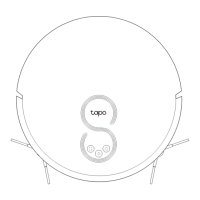

 To Next Page