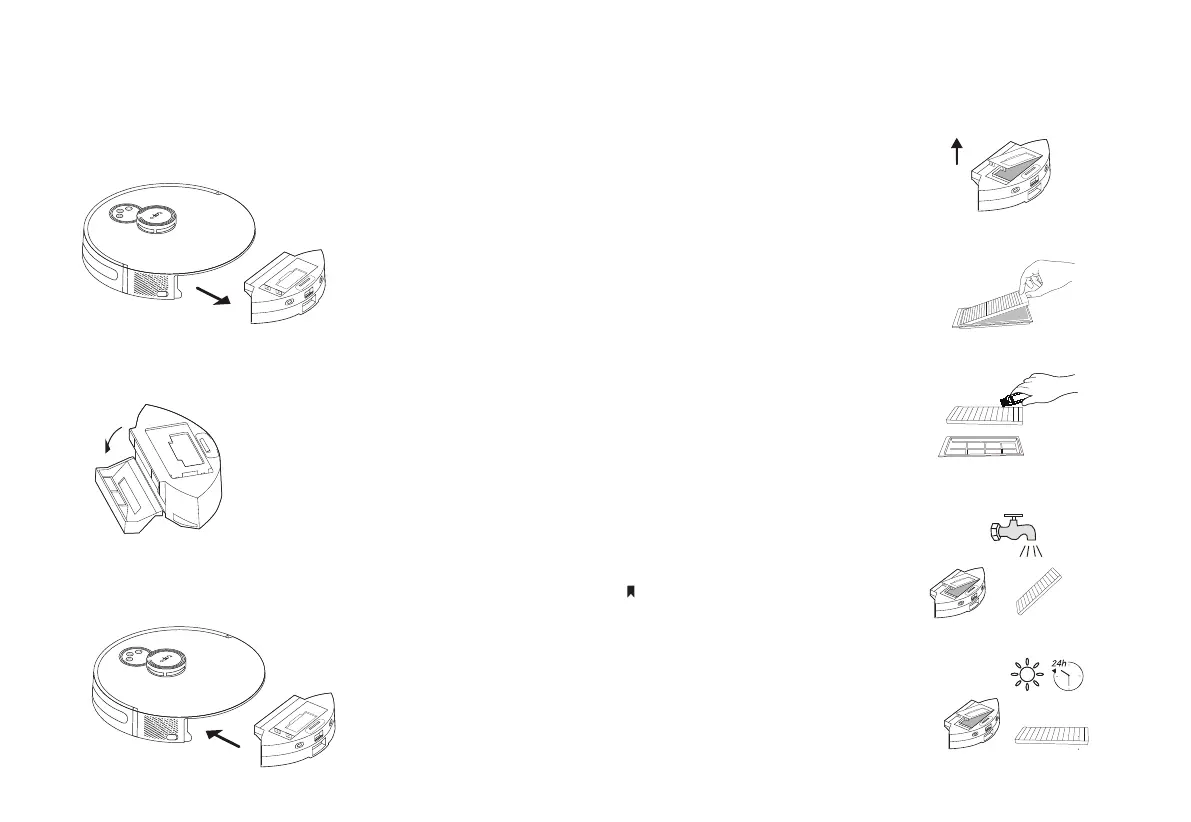
Empty the Bin
1. Remove the dustbin.
2. Open the dustbin to empty the dustbin.
3. Place the dustbin back inside the robot vacuum.
10
Clean the Filter
1. Remove the dustbin and
open the lid.
2. Remove the lter.
3. Clean the lter with a
cleaning brush.
4. Wash the dustbin and lter.
5. Air-dry the dustbin and lter
thoroughly, then install the lter
in the previous orientation.
Do not wash with hot water or detergents.


 To Next Page