Targa DataBox V 320 English
7
Getting Started
Please read this user manual before using the device for the first time. This prevents
incorrect operation and use. Unpack the Targa DataBox and keep the packaging.
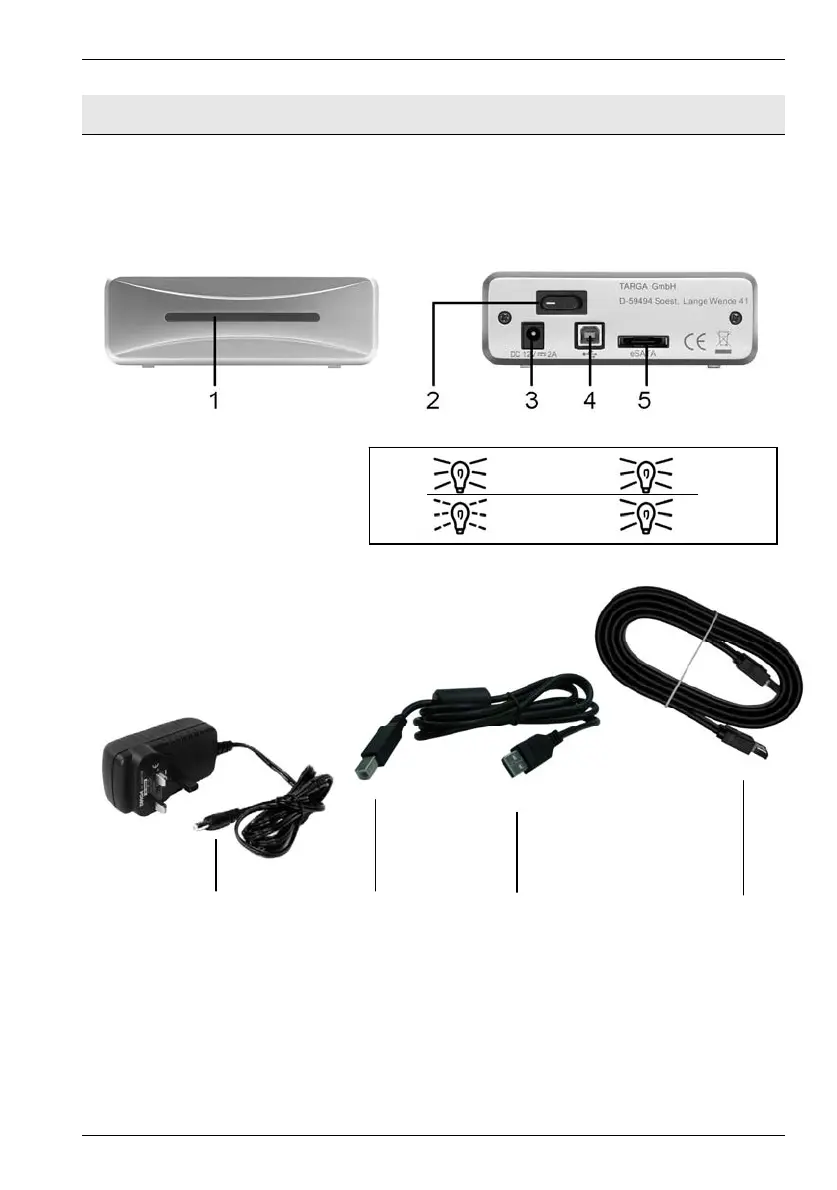
Front view Back view
1 LED indicator
In USB mode the LED
indicator will blink during
data transfer. In eSATA
mode the LED indicator
will light continuously
during data transfer.
2 On/Off button
3 Connection for external power adapter
4 USB port
5 eSATA connector
6 7 8 9
Power adapter [A] USB cable [B] eSATA cable [C]
6 Connector for Targa DataBox
7 USB connector for Targa DataBox
8 USB connector for PC
9 eSATA cable (both connectors are identical)
Power on
USB
HDD access
eSATA


 To Next Page