11
INTRODUCTION
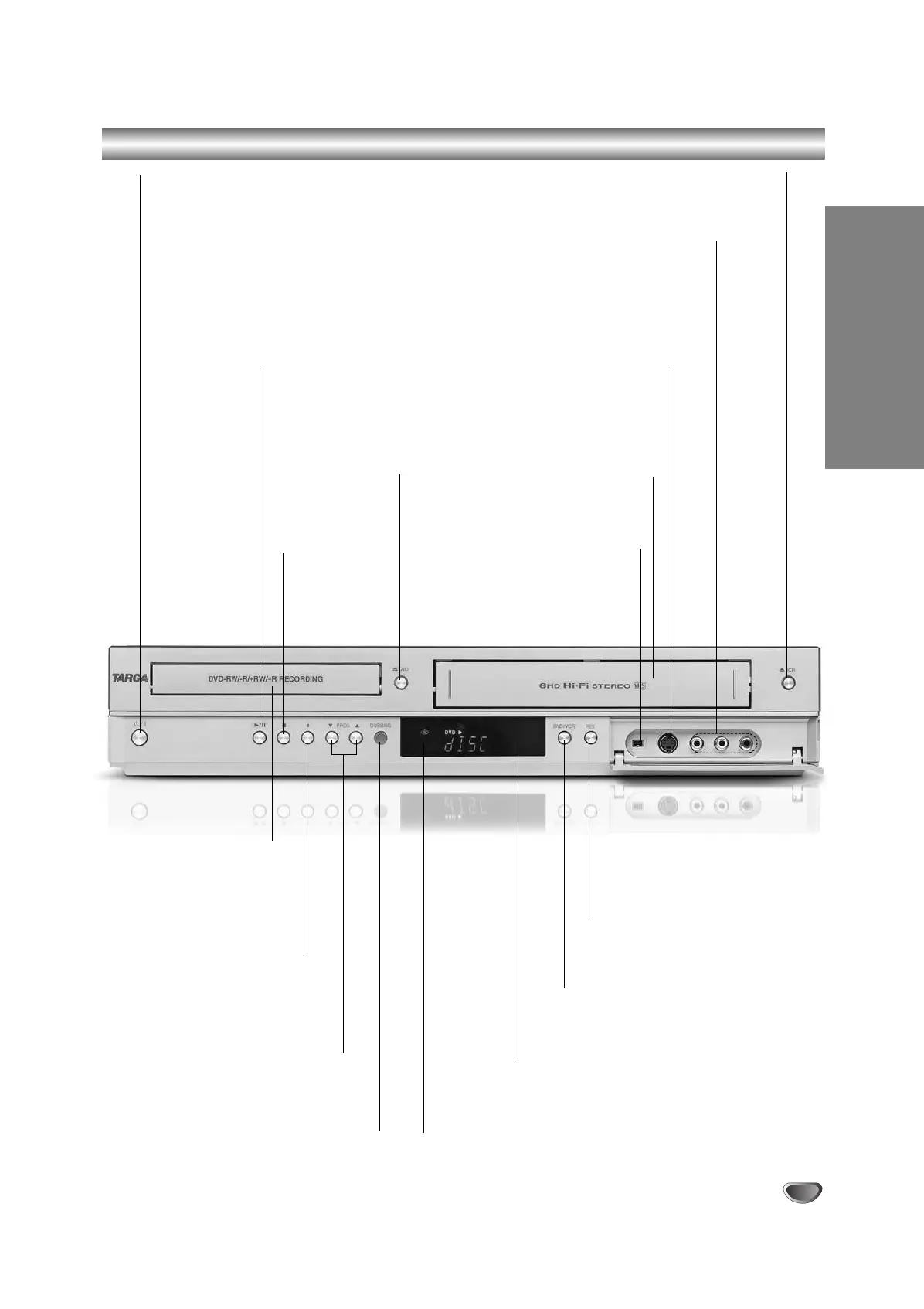
Front panel connections
Disc Tray
Insert a disc here.
Stand-by/On
Switches the Recorder ON or OFF.
REC (z)
Starts recording. Press
repeatedly to set the
recording time.
Remote Sensor
Point the Recorder
remote control here.
PROG. (v / V)
Scans up or down through
memorized channels.
STOP (x)
Stops playback
or recording.
PLAY/PAUSE (N/X)
Starts playback.
Pause playback or recording
temporarily, press again to exit
pause mode.
OPEN/CLOSE (Z)
Opens or close
the disc tray.
AV3 IN (VIDEO IN/AUDIO IN (Left/Right))
Connect the audio/video output of an external source
(Audio system, TV/ Monitor, VCR, Camcorder, etc.).
AV3 IN (S-VIDEO IN)
Connect the S-Video output of an
external source (TV/ Monitor,
VCR, Camcorder, etc.).
DV INPUT
Connect the DV
output of a digital
camcorder.
EJECT (Z)
Ejects the tape in the VCR deck.
DUBBING
Press to copy DVD to VCR
(or VCR to DVD).
DVD/VCR
Toggles control between the DVD
deck and the VCR deck.
Cassette Compartment (VCR deck)
Insert a video cassette here.
Display window
Shows the current status of
the Recorder.
RES.
Sets the output resolution for HDMI
and COMPONENT/ PROGRESSIVE
SCAN VIDEO OUT jacks.
- HDMI: 1080i, 720p, 576p, 576i
- COMPONENT: 576p, 576i
RC174P1_NA4UTTA_S_48T_ENG 7/24/06 2:07 PM Page 11



 To Next Page