Targa NDAS 500 eSATA English
17
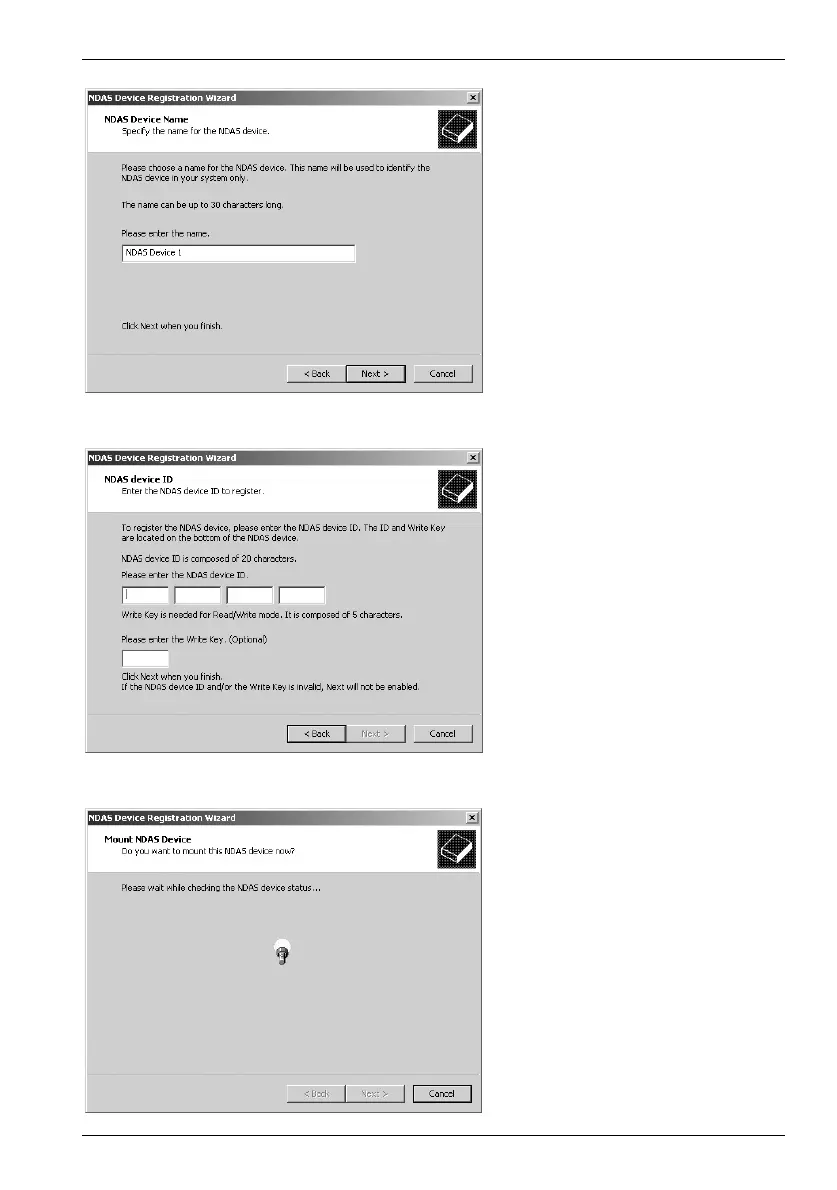
Enter any name for your new
device or leave the default
name of "NDAS Device 1" and
click
Next.
Enter the device ID number into
the input fields. All computers
that you want to grant write
access to need a write access
key. Both can be found on the
sticker of the DataBox NDAS
500 eSATA or at the end of this
User Manual then, click
Next.
The software checks if the
DataBox NDAS 500 eSATA is
present on the network.
Please wait.


 To Next Page