RECEIVING WEATHER FAX USING THE
TARGET HF3/M
MINIMUM REQUIREMENT
OF
PC
386 processor or better, minimum of 640k of RAM, 1.5MB free on hard
disk,
VGA
monitor and spare COM port. (Must be COM 1 or 2)
INSTALLING WE
-
FAX SOFTWARE ONTO HARD DISK
Ensure the computer is in Dos (not in a windows environment) and the
C\: prompt displayed. Insert Disk and type
A
:
INSTALL
press RETURN
(Note A represents the floppy drive letter)
If
the 3.5 Drive is
B
then type
B
:
INSTALL.
After installation the software will reside in directory
C:\
WEATHER
on the hard drive.) Remove the floppy disk.
CONNECTING RECEIVER TO PC
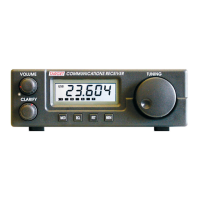
Plug the data lead into the data socket at the rear of the receiver. Plug the
9
-
pin connector into the spare serial port of the PC. (If the PC has a 25 pin
serial port then a
9
to 25 pin adaptor is available at most computer stores.)
SETTING UP RECEIVER
Connect antenna and ground as shown in the user guide. With the computer
and its peripherals turned off tune the receiver to a
local
facsimile station.
For the UK the most useful stations are:
-
BRACKNELL on 4610, 8040, 14436 KHZ
NORTHWOOD on 2374, 3652, 4307 KHZ
OFFENBACH on 3855,
7880,
13882.5 KHZ
A
full list of stations, frequencies, transmission times area coverage and
chart symbols is available in the Admiralty list of radio signals volume three
published by the hydrographer of the navy. See back page for stockists
TUNING
Set the receiver to the exact frequency shown, ignore any figures after the
decimal point. (there is no need for an offset.) Select
USB
and set the
clarify control with the pointer centred. When no picture is being transmitted
a constant note
will
be heard. During picture transmission this note will
change to a rhythmic chirp. To get good quality pictures a good interference
free signal is necessary. Atmospheric interference
will
usually sound like
the hiss
of
frying
bacon
superimposed on the
signal.
Other
interference
such
as that from
TV
and computers
will
usually be more of a rasping noise.
13


 To Next Page