Targus Bluetooth Comfort Laser Mouse
12
Connecting with Bluetooth Software:
TOSHIBA (Windows Vista)
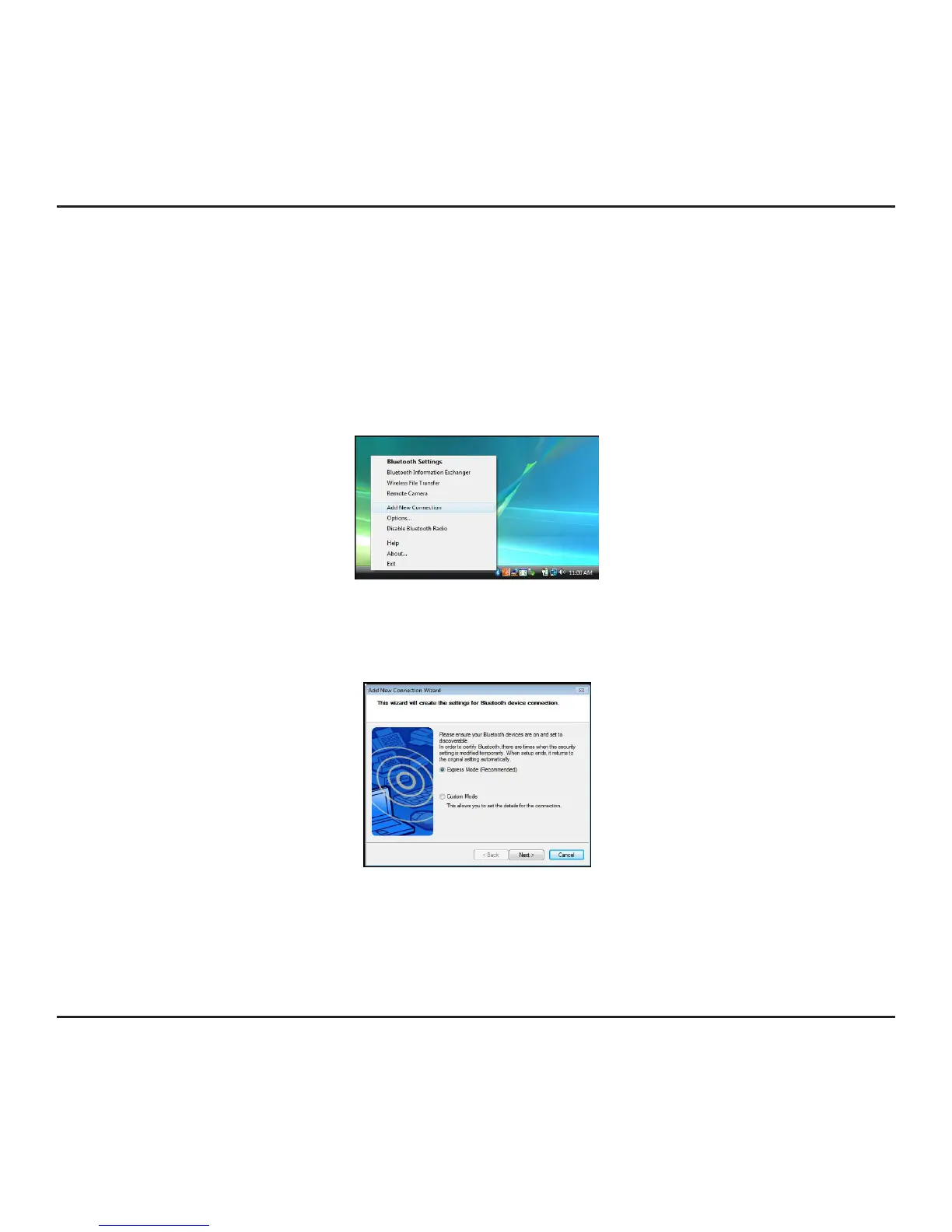
1. Double click on the Bluetooth Manager icon in the system tray, and then click
Add New Connection.
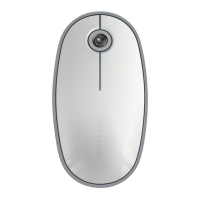
2. Power on the mouse and it will automactically go into discovery mode. Click Next
to continue pairing and the computer will search for the mouse.



 To Next Page