Need help?
Do you have a question about the Targus AMU34EU and is the answer not in the manual?
Critical safety warning regarding laser radiation exposure and potential eye hazards.
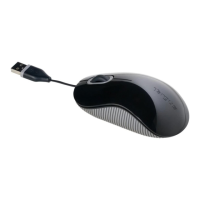
Overview of the Targus USB 3-Button Laser Notebook Mouse features.
Lists items included in the product package for setup and use.
Specifies hardware and operating system compatibility for the mouse.
Explains connecting the mouse and changing its DPI resolution.
Details how to fine-tune mouse speed and pointer precision in Windows settings.
Guidelines on avoiding direct laser exposure and handling the device safely.
Addresses common problems like no laser light or surface compatibility.
Provides website links for technical assistance and FAQs.
Lists international phone numbers for customer support inquiries.
Instructions on how to register your Targus accessory for support.
Outlines the terms and conditions of the product's two-year limited warranty.
Details compliance with FCC rules and relevant directives for device operation.
Provides guidance on responsible disposal and recycling of the product.
 General
| Model | AMU34EU |
|---|---|
| Category | Mouse |
| Connectivity | Wireless |
| Interface | USB |
| Tracking Method | Optical |
| DPI | 1000 |
| Number of Buttons | 3 |
| Scroll Wheel | Yes |
| Battery Type | AA |
| Battery Life | 12 months |
| Color | Black |


 To Next Page