Need help?
Do you have a question about the Targus LAP CHILL MAT and is the answer not in the manual?
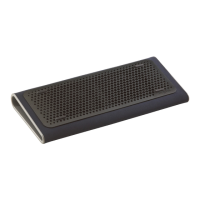
The Chill Mat is equipped with two USB powered fans for optimal notebook cooling.
Features a tilted ergonomic design for ideal notebook positioning.
Requires a USB 1.1/2.0 compliant port for operation.
Place on a surface, position notebook, and connect USB cable to your notebook.
Keep loose items, hair, and jewelry away from fans to prevent injury or damage.
Rubber grips can be removed; keep out of reach of children when not in use.
Provides contact details for technical support in the US, Australia, and New Zealand.
Instructions and website link for registering your Targus accessory.
Details the one-year warranty against defects and exclusions like accidental damage.
 General
| Product Type | Laptop Cooling Pad |
|---|---|
| Material | Plastic |
| Fan Size | 120 mm |
| Power Source | USB |
| Fan Quantity | 2 |
| Compatibility | Up to 17-inch laptops |
| Weight | 0.6 kg |
| Features | Ergonomic design |


 To Next Page