Targus Lap Chill Mat
2
Introduction
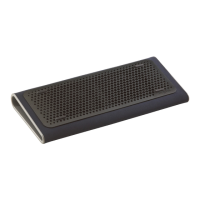
Thank you for your purchase of the Targus Lap Chill Mat. The Lap Chill
Mat features two USB powered fans positioned to provide optimal cooling
to your notebook.
Features
• 2 USB powered fans
• Tilted ergonomic design for the ideal positioning of your notebook
System Requirements
• USB 1.1/2.0 compliant port
To use the Chill Mat
1. Place the Lap Chill Mat on a surface, such as a table, desktop or your
lap.
2. Position your notebook on top of the Lap Chill Mat.
3. Connect the USB cable of the Chill Mat to an available USB port on
your notebook.



 To Next Page