EasyManua.ls Logo

Targus PAUH217U - User Manual

Targus PAUH217U
2 pages
Print Icon
To Next Page IconTo Next Page
Loading...
Quick Start
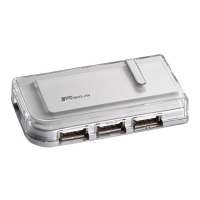
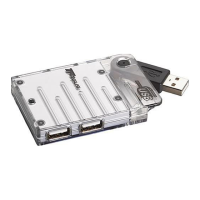
travel USB 2.0
4-port hub
with y-cable
11
22
Provides power
and data flow.
Type A (black)
Type A (red)
Type B
Provides power only (optional).
Attach it when using high power
devices via the hub.
When using high power devices,
plug in both USB Type A connectors to
the laptop/PC, then connect the high
power USB device to the hub.
Question and Answer IconNeed help?

Do you have a question about the Targus PAUH217U and is the answer not in the manual?

Targus PAUH217U Specifications

General IconGeneral
BrandTargus
ModelPAUH217U
CategorySwitch
LanguageEnglish

Summary

Connecting the Targus USB Hub

USB Type A (Black) Connection

Provides power and data flow for the USB hub connection.

USB Type A (Red) Connection for High Power

Optional connection for high power devices, providing additional power.

USB Type B Connection

Standard USB Type B port for connecting the hub to a computer.

Software Installation and Setup

New Hardware Found Wizard

Guides users through installing drivers for newly detected USB hardware.

Technical Support and Warranty Information

Technical Support Contact

Provides website and telephone numbers for technical assistance.

Product Warranty Details

Outlines the one-year warranty for defects and exclusions.

Regulatory Compliance Statement

Details FCC compliance rules and measures to avoid interference.
Related product manuals