6
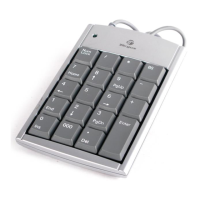
USB Calculator/Keypad - front view
Sending Calculation Results from the Calculator
to Your Computer
When the device is in calculator mode, you can send calculation
results to the cursor location in the active program on your
computer. To do this, after calculating your equation, press the
SEND key.
NOTE: The Send feature automatically sends all calculation
results as positive factors. To send a calculation result as a
negative factor, you must set the Send feature to negative
mode.
Sending Calculations with Negative Results to Your Computer
To set the Send feature to negative mode and send calculations
with negative results from the calculator to your computer:
1 Calculate your equation and press the MODE key so that the
LED glows green.
2 Enter the minus (-) symbol.
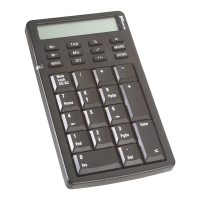
M+
M–
MRC
TAB
MU
GT
MODE
SEND
%
+/–
Num
Lock
CE/AC
7
/
*
8
9
456
123
Home
PgUp
End
PgDn
Enter
=
Ins
0
Del
.
–
+
↑
→
↓
←
LED


 To Next Page
 Loading...