
 Need help?
Do you have a question about the Tascam CD-RW750 and is the answer not in the manual?
Risk of electric shock; do not remove cover, no user-serviceable parts.
Do not expose appliance to rain or moisture to prevent fire or shock.
Mains plug, extension lead, and fuse replacement guidance for UK users.
FCC compliance, interference, and modification warnings for US users.
Class A product interference warnings for European users.
Product classified as Class 1 laser, with no hazardous radiation during operation.
Do not remove housing, avoid controls/procedures other than specified for safety.
Explanation of CD-R and CD-RW disc types and their recording capabilities.
Explains conventions used for keys, displays, and indicators in the manual.
Defines 'recordable disc' as a CD-R or CD-RW that can still have data written.
Lists items included with the unit, advises checking for missing parts.
Specifies operating temperature, humidity, and ventilation requirements.
Advice on preventing condensation when moving the unit between temperature zones.
Warning against using CD stabilizers or printable discs to avoid damage.
Specific handling precautions for CD-R and CD-RW discs regarding dirt and UV.
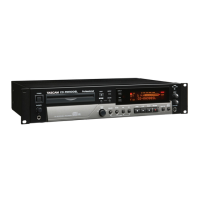
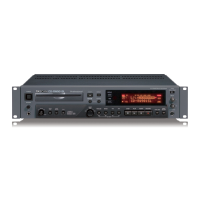
Details and functions of the controls and indicators on the unit's front panel.
Notes on connecting the unit to other audio equipment, including digital inputs.
Instructions for setting the unit to start playback upon power-on.
Basic steps for playing discs, including track selection and stopping.
Describes the five different display modes for track and disc time information.
Methods for navigating to specific tracks using the jog dial or number keys.
Explains how to select continuous, single, shuffle, or programmed playback.
How to set the unit to repeat a single track or the entire disc.
Enables looped playback between two user-defined points.
How to choose between analog, optical, and coaxial digital audio inputs.
Adjusting input levels for analog signals using input controls.
How to monitor input signals during record ready or record mode.
Explains the unit's automatic conversion of digital input frequencies to 44.1 kHz.
How to play back recorded tracks on an unfinalized disc.
Describes available time displays during the recording process.
What happens when the disc becomes full during recording.
Introduction to advanced recording techniques.
Explains automatic start/stop recording based on input signal presence.
Conditions for stopping synchronized recording based on signal level.
Enabling automatic track insertion based on signal changes.
How to record four seconds of silence instantly.
Provides facilities for smooth beginnings and endings of recorded tracks.
Process to make a disc playable on standard CD players by writing TOC.
Procedure to remove TOC from a finalized CD-RW disc for further recording.
Overview of erasing tracks, whole discs, or refreshing CD-RW discs.
Procedure to erase all tracks from a disc.
How to reformat a corrupted or unreadable CD-RW disc.
Lists common symptoms, possible causes, and remedies for unit issues.
Technical specifications for audio quality, recording media, and sampling.
Details on voltage, power consumption, dimensions, weight, and accessories.
Diagram showing the unit's physical dimensions and rack-mount layout.
 General
| Brand | Tascam |
|---|---|
| Model | CD-RW750 |
| Category | Recording Equipment |
| Language | English |

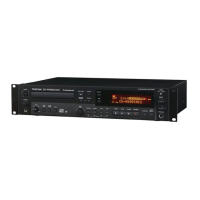
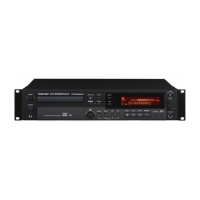
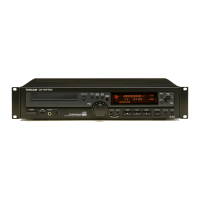

 To Next Page