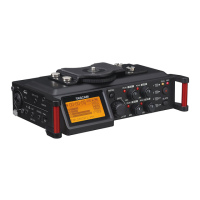
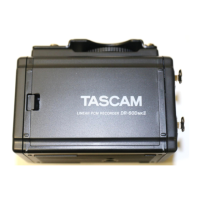
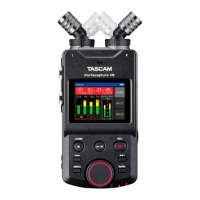
Tascam DR-100 mark-III Quick Start Guide
All page numbers refer to Tascam’s Owner’s Manual for the DR-100 mark III
1. Insert your SD card. Never insert or remove an SD card while the device is powered on (p 15).
2. Turn on the Tascam recorder (p. 16): first check that the Phantom Power switch is OFF before turning
the Tascam on; press and hold the power button.
3. Format your SD card for each new project/SD card: formatting will erase everything on the SD card; be sure to
back up all content from your SD before this step (p 43).
Press MENU, then find SYSTEM and scroll down to MEDIA FORMAT
and choose
QUICK
4. Set battery options (p. 14): Tascams operate with two types of batteries: 1) the
built-in Lithium-Ion (Li-Ion) battery, chargeable with an AC Adaptor or connected to a
USB-C cable and 2) insertable alkali AA batteries. One serves as back up, while the
other (priority) option is the default.
in MENU, find POWER/DISPLAY, then BATTERY, and set PRIORITY
to either
Li-Ion, or AA also check that AA TYPE is set to ALKALI
4. Set up to record (p. 21): double-check these settings before shooting to avoid
problems recording with the mic
Press MENU, then under REC SETTING,
find FORMAT, then choose WAV(BWF) 24 bit
then find SAMPLE, and choose 48.0 kHz
and check that FILE TYPE is MONO-L or MONO-R, depending on which
channel your XLR + mic is plugged into (MONO-L for the left side, and MONO-R for the right)
*MONO will duplicate tracks on the
left and right channel. There are reasons in the future you may want to set input settings to STEREO (which will split the tracks onto
separate channels).
Find the INPUT LEVEL (p. 20) switch on the front of your Tascam ( shown to the right); set it to L or R,
depending on which channel your XLR + mic is plugged into (the Tascam tends to work better when the XLR is plugged
into the left channel)
In MENU, under I/O SETTING, set A/D Filter to FIR1 (p. 24).
Still under I/O SETTING, find SOURCE, choose either (p. 21):
•MIC - selects your external microphone (for any microphones connected to the XLR inputs)
→
•OMNI MIC - selects the built-in omni-directional microphone*
•UNI MIC - selects the built-in directional microphone*
September 2024, Gisell Calderon

 Need help?
 General

 To Next Page