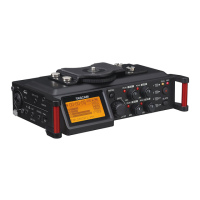
*for most recording situations, your external microphone will be a better option. But experiment with these setting & let
us know if you find either ideal for any sounds/recording situations!
5. Connect a microphone to your Tascam using an XLR cable by inserting the pronged-end into the
Tascam, and the holed-end into the mic. Before doing so, check that phantom power is off (see below).
You will feel/hear a click on either end of the XLR when properly inserted into both the Tascam and the
microphone.
6. Turn on Phantom Power (p.22): phantom power should start OFF; do not connect or disconnect mics
from the MIC/LINE In jack while phantom power is ON; doing so could cause a loud noise and might
damage the Tascam and connected mic
Look for the PHANTOM ON/OFF switch on the bottom end of your Tascam; switch it ON
Confirm that YES, you are sure that you want +48V Phantom ON
7. Record sound using record pause mode; start by inserting headphones into the headphone jack,
enabling you to listen as you're recording (p. 20).
Press the RECORD button once to enter recording standby, or 'record pause'
Watch the level meters and turn the levels knob (on the right side) to set the range of levels between
-12 and -6dB, making sure you don’t peak at 0dB.
Press RECORD a second time to actually start the recording; press STOP to stop recording
*note that Apple earbuds are not compatible with the Tascam mkIII; in order to hear sound through
these earbuds, you must press and hold the remote (attached to the earbud cable; aka the play/pause
button or microphone) while you playback sound; they don't function during record or standby mode
8. Playback recordings by pressing PLAY/PAUSE (p. 30) or by going into MENU, then BROWSE and
pressing the PLAY/PAUSE button on the selected audio file.
Plug in headphones to the Headphone jack,
or use the built-in Tascam speaker, turning the speaker switch ON ( shown below)
Adjust headphone/speaker volume ( shown below)
Remember to always monitor both your levels and your headphones.
September 2024, Gisell Calderon



 To Previous Page
 Loading...