Need help?
Do you have a question about the Tasco 119422 and is the answer not in the manual?
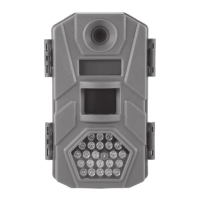
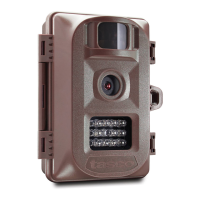
Provides a general overview of the Tasco Trail Cam's features and capabilities.
Lists the various uses for the Trail Cam, such as hunting, scouting, and surveillance.
Details the external ports and internal controls of the Trail Cam.
Instructions for correctly inserting AA batteries for optimal camera operation.
Guidance on connecting an optional 6V DC external power source.
Steps for inserting and removing SD/SDHC cards for image storage.
Explains the three basic operational modes: OFF, ON, and SETUP.
Details the function and usage of the camera's OFF mode for safety and transport.
Describes how to activate the camera for operation and its behavior in ON mode.
Explains how to use SETUP mode and its shortcut key functions for configuration.
Step-by-step guide on navigating the setup menu to adjust camera parameters.
Illustrates how to change common settings like Mode and Video Length.
Instructions for configuring the Time Lapse feature, including start/stop times and interval.
Configures camera mode, still photo resolution, and capture burst count.
Adjusts video resolution, frame rate, and recording clip duration.
Configuration for trigger interval, PIR sensor sensitivity, and environment adaptation.
Options for SD card formatting, video output standards, and date/time imprinting.
Controls for Time Lapse recording, audio, and resetting parameters to defaults.
Details on using the web belt or tripod socket for secure camera placement.
Procedure to check the sensor's coverage angle and monitoring distance.
List of essential checks before leaving the camera unattended in the field.
Methods for viewing captured photos and videos on SD card or external monitor.
Instructions on how to delete unwanted photos or videos from the camera.
How to connect the camera to a PC or Mac to view and manage files.
Steps for connecting the camera via USB or using an SD card reader to download files.
Solutions for false triggers and short battery life issues.
Troubleshooting steps when the camera stops taking or fails to take images.
Resolving issues with camera power, and problems with photo/video quality.
Addressing issues like dark/bright images, streaks, color cast, and timestamp absence.
Tips for ensuring the camera captures the intended subjects accurately.
Troubleshooting PIR sensor flashes and LCD screen malfunctions.
Resolving problems with settings not saving and issues with moisture or ants.
Detailed technical data including sensor, lens, memory, and operating parameters.
Information on warranty coverage, exclusions, and procedures for product returns.
Details regarding FCC rules, interference, and product compliance.
Instructions for proper disposal of electronic waste in accordance with regulations.
 General
| Brand | Tasco |
|---|---|
| Model | 119422 |
| Category | Scouting Camera |
| Language | English |

 To Next Page