3-25
Preparation before Use > Preparation for Sending a Document to a Shared Folder in a PC
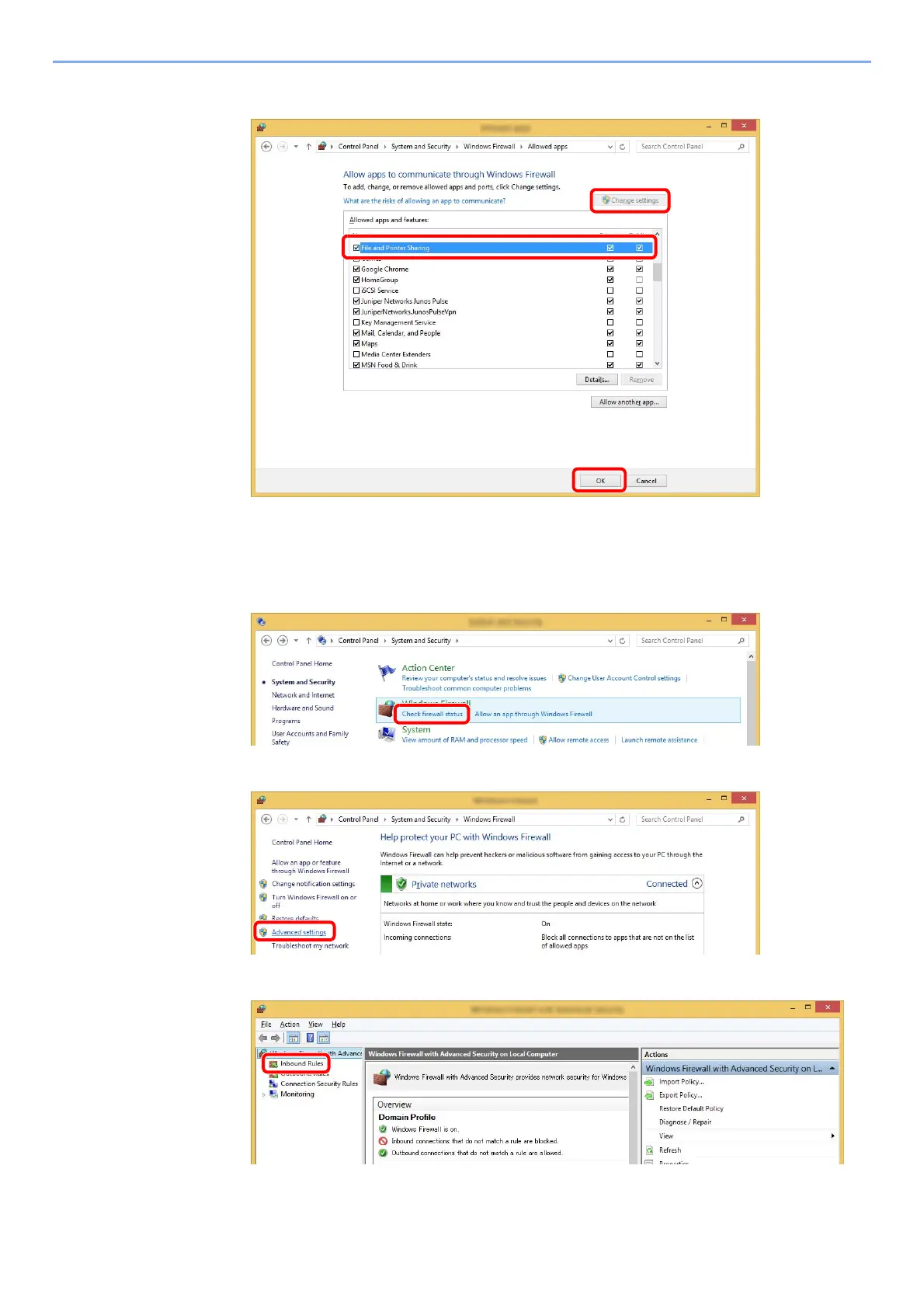
2 Select the [File and Printer Sharing] checkbox.
2
Add a port.
1 In charms on Desktop, click [Settings], [Control Panel], [System and Security], and
[Check firewall status].
2 Select [Advanced settings].
3 Select [Inbound Rules].



 To Next Page