The LED display will show 200, indicating star-
ting temperature is 200ºC or 210ºC.
- To change the temperature level, just slide the
nger through the slide control.
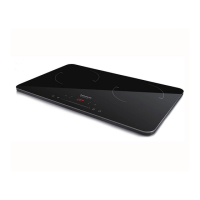
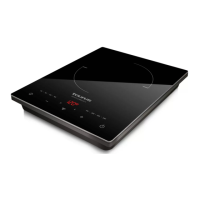
NOTE: Darkre plate has 8 temperature
levels equivalent to:
60ºC, 80ºC, 120ºC, 150ºC, 180ºC, 200ºC,
220ºC, 240ºC.
NOTE: Darkre Double plate has 7
temperature levels equivalent to:
60ºC, 90ºC, 120ºC, 150ºC, 180ºC, 210ºC,
240ºC.
TIMER FUNCTION
- The appliance’s operating time can be control-
led.
- In order to do it, push the timer button. The
LED display will show 0:30.
- Use the Slide control to change the time
settings.
- Slide your nger to add or subtract 10 minutes.
- Push at the ends of the slide control to add or
diminish one minute.
- Push again the timer button or wait 3 seconds.
The value remaining will be alternating with the
power level or temperature level you chose.
- To cancel this option push again the timer
button or switch o the appliance. The timer
indicator will shut o.
SAFETY LOCK
- The safety lock position stops the on switch
from activating; it prevents the appliance from
being switched on accidentally.
- To activate the lock function, push during 3 se-
conds the child lock button. The lock indicator
will be activated and all the buttons despite the
On/O button will not be able to push.
- To cancel this function, push during 3 seconds
the lock button until the indicators goes o, or
switch of the appliance.
STAND-BY FUNCTION
- In order to save energy, the appliance passes
to stand-by after 30 seconds if the user does
not use it or the cooking accessory has been
removed from the hob.
ONCE YOU HAVE FINISHED USING THE
APPLIANCE
- Stop the appliance using the on/o switch.
- Unplug the appliance from the mains.
- Clean the appliance.
ERROR CODES
The screen can show dierent Error codes.
E0 → The accessory you are using is not
detected.
E1 → Don’t reach minimum voltage
E2 → Too much Voltage for the plate.
E3 → Thermostat open
E4 → Thermostat broke
E5 → PCB Thermostat open
E6 → PCB Thermostat Broken
E7 → Interior temperature detection system
broke.
E8 → Internal error not determined.
E9 → Overheating.
For E0, check if the accessory for cooking is
induction compatible.
Fore E1 – E9, take the appliance to the closest
Technical assistance Service.
CLEANING
- Disconnect the appliance from the mains and
allow it to cool before undertaking any cleaning
task.
- Clean the equipment with a damp cloth with a
few drops of washing-up liquid and then dry.
- Do not use solvents, or products with an acid or
base pH such as bleach, or abrasive products,
for cleaning the appliance.
- Never submerge the appliance in water or any
other liquid or place it under running water.
- It is advisable to clean the appliance regularly
and remove any food remains.


 To Next Page