before switching the hob
back on again.
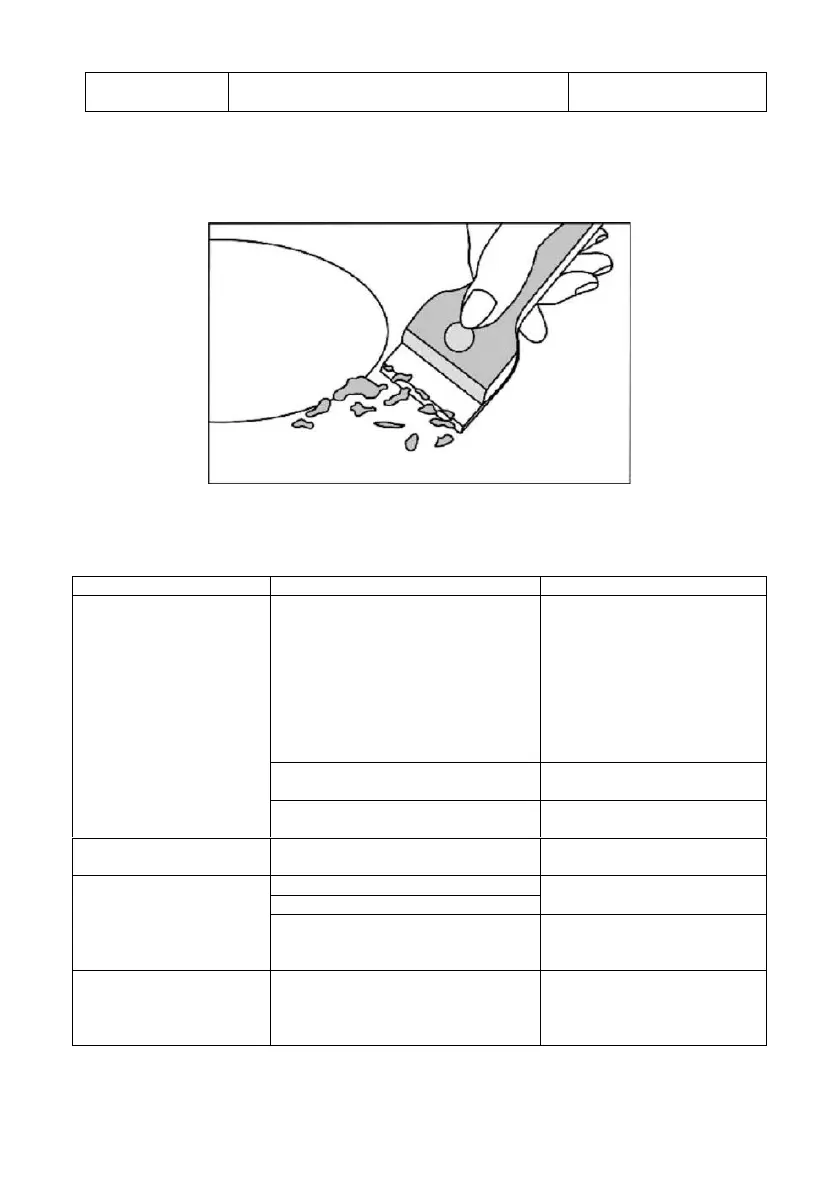
To prevent any damage to the surface of the hob, use a suitable scraper to immediately remove
any remains of kitchen foil, food, splashed fat, sugar stains and other sugary foods. Then use a
towel and a suitable product to clean the surface, rinse with water and dry with a clean cloth. Do
not use abrasive sponges or cloths and avoid using harsh chemical detergents.
TROUBLESHOOTING
The induction hob will
not switch on.
Make sure that the induction
hob is connected to the
power supply and that it is
switched on.
Check for a power outage in
your home or area. If after
checking everything the
problem persists, call a
technician.
The accessory power board and
display board fail to connect.
The accessory power board is
damaged.
Replace the accessory
power board.
The touch controls do
not work.
Disable the child lock as
explained in the instructions.
Heating stops suddenly
during use and the
display screen flashes
“u”.
Use the correct pot (consult
the instruction manual).
The pot diameter is too small.
The unit has overheated
Wait for temperature to
return to normal.
Touch controls are
difficult to operate.
There may be a thin film of water
on the controls. You may be using
the tip of your finger when
touching the control.
Make sure the touch control
area is dry and use the flat
of your finger when touching
the controls.
Downloaded by: pd-oliana on 30-01-2023 16:33 CET


 To Next Page