ENGLISH
4140
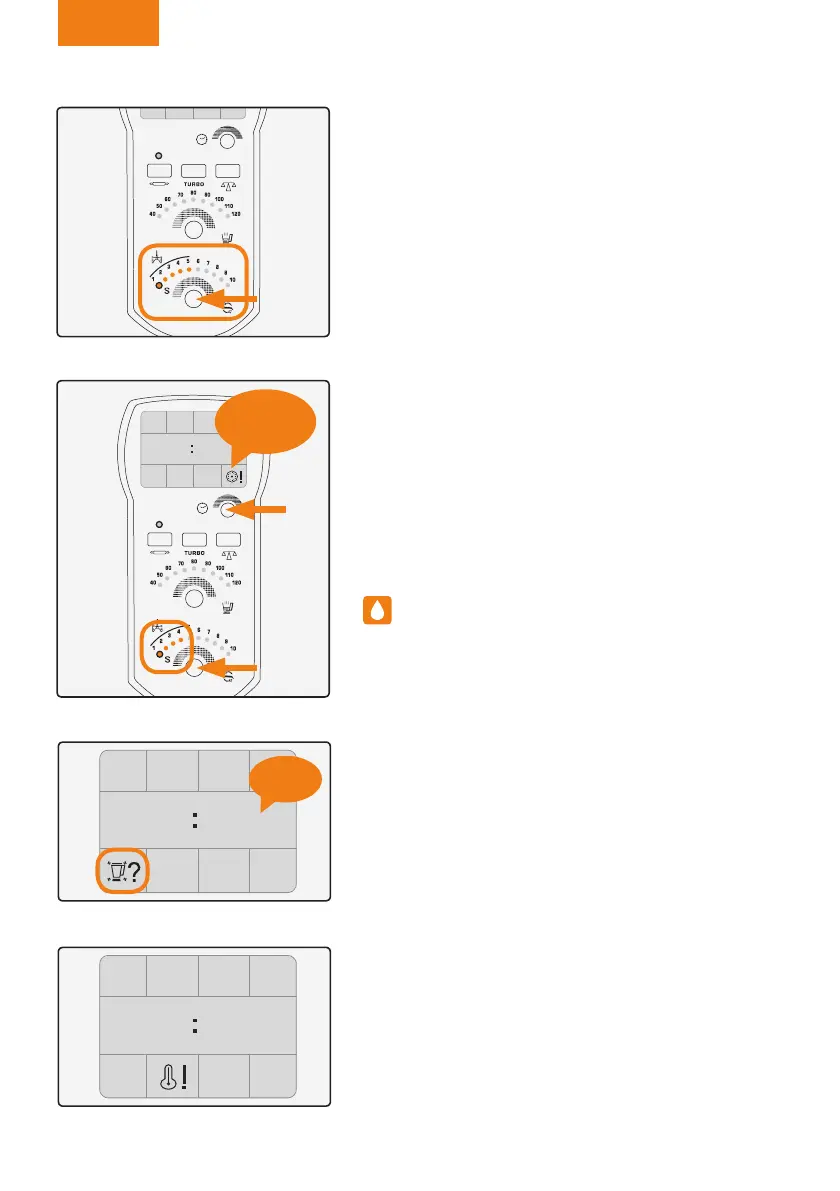
By running the jug under the tap, then tting it into
the central unit and waiting for the information icon
to turn off..
If you are not going to be using the appliance
straight away:
1. Stop the appliance by prising the start/stop switch.
2. Unplug the appliance from the power supply.
3. Wind up and stow away the cable.
Stand-by function
In versions with the standby or prepared mode for the
purpose of energy saving, the appliance will go into
power saving mode after a few minutes if left untou-
ched in this time period. The Stby. symbol will be dis-
played on the screen. To return to normal operation,
turn the selector control to the right.
(Figure 61).
Cleaning
• Disconnect the appliance from the power supply
and allow it to cool before beginning to clean it.
• Clean the appliance with a damp cloth containing a
few drops of detergent and then leave to dry.
• Do not use solvents or products with an acid or
a base ph such as bleach, or abrasive products to
clean the equipment.
• Do not allow water or other liquids to enter the ven-
tilation grills to prevent damage to the appliance’s in-
ternal operating parts.
• Do not immerse the appliance in water or other li-
quid, or run it under the tap.
•Special care must be taken while cleaning the bla-
des as they are very sharp.
• The appliance should be cleaned after each use,
removing all traces of food.
• The gasket should be removed and cleaned separa-
tely when cleaning the lid or stainless steel tray.
Figure 57
Figure 58
BEEP!
Figure 59
00 00
BEEP!
Figure 60
00 00
Manual Mycooks.indb 40 12/11/15 16:27



 To Next Page