TX / TXH / TXB 180S - 400L (Rev. 4/23/07)TX / TXH / TXB 180S - 400L (Rev. 4/23/07)
6-526-52
DIAGNOSTICSDIAGNOSTICS
BUTTONBUTTON
Main Display ScreenMain Display Screen
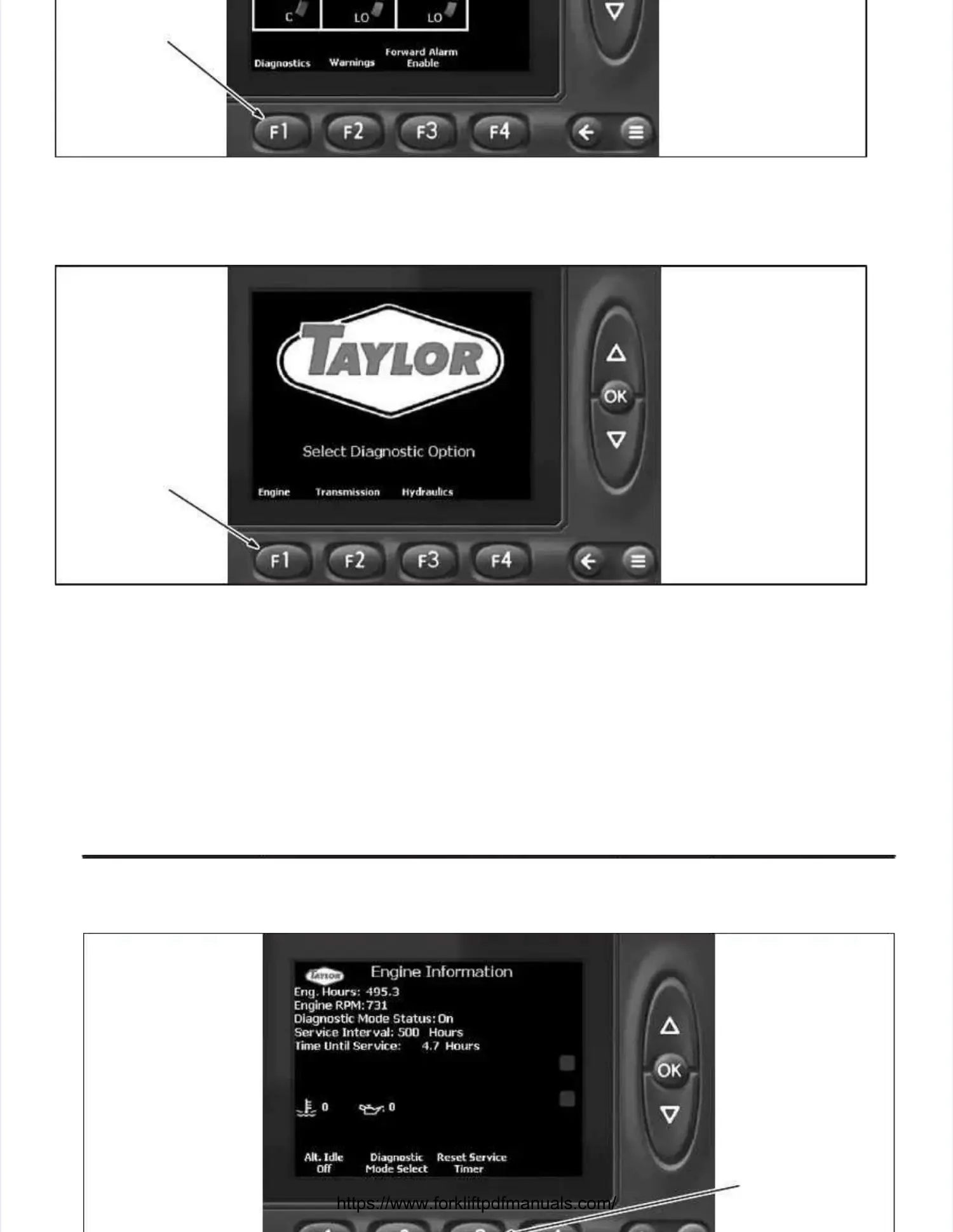
1.1. TurTurn the ignitn the ignition key to ition key to its access accessory possory position (fition (first cliirst click). ck). From thFrom the Main Dispe Main Display scrlay screen, depreen, depress theess the
F1 button (Diagnostics) to access the Diagnostics Select screen.F1 button (Diagnostics) to access the Diagnostics Select screen.
ENGINEENGINE
BUTTONBUTTON
Diagnostics Select ScreenDiagnostics Select Screen
2.2. At the DiagnosAt the Diagnostics Seletics Select screect screen, depress thn, depress the F1 button (Engie F1 button (Engine) to access thne) to access the Engine Infoe Engine Informatiormationn
screen.screen.



 To Next Page